
What Limits Passkey Wallet Adoption Today
Passkey wallets combine public-key cryptography with biometric convenience, yet ecosystem fragmentation slows mass adoption. Unlike traditional password managers that sync via central databases, passkey wallets rely on device-bound keys or specialized cloud protocols that many Web3 platforms do not support.
The primary hurdle is compatibility. Most cryptocurrency exchanges and dApps were built for seed phrases. Integrating passkey support requires backend changes to handle WebAuthn standards. While Coinbase Wallet and Base have begun integrating passkeys, many protocols remain locked to legacy methods, creating a split experience where users juggle multiple authentication styles.
Hardware dependency is another constraint. Passkeys are tied to the device’s secure enclave. Losing a phone makes recovery more complex than backing up a 12-word seed phrase. While cloud sync options exist, they require trusting a third-party provider. For users prioritizing self-custody and offline storage, this tradeoff may feel like a step backward compared to traditional hardware wallets.
As major platforms standardize passkey support, friction is expected to decrease. Until cross-platform compatibility becomes universal, passkey wallets remain a premium option for users valuing ease of use over total control.
Passkey wallet choices that change the plan
Passkey wallets offer a streamlined alternative to seed phrases but introduce constraints around device dependency. Unlike standard password managers, passkey wallets tie cryptographic keys to the hardware security module (HSM) or secure enclave of your specific device. This creates distinct tradeoffs between security convenience and asset custody control.
The following comparison breaks down the concrete factors you should evaluate before migrating your crypto identity.
| Feature | Passkey Wallet | Seed Phrase Wallet |
|---|---|---|
| Authentication Method | Biometrics (FaceID/TouchID) | Memorized 12-24 word string |
| Recovery Complexity | Requires device access or social recovery | Offline backup; no central authority |
| Hardware Dependency | Tied to original device hardware | Device-agnostic; works on any device |
| Security Model | Tamper-resistant secure enclave | Dependent on user storage hygiene |
| Cross-Platform Sync | Cloud-synced via OS account (e.g., Apple ID) | Manual entry; no automatic sync |
Device Lock-in Risk
The most significant tradeoff is hardware dependency. If your phone is lost or stolen, you cannot access your wallet without the original device or a pre-configured recovery method. Seed phrase wallets remain device-agnostic; you can restore funds on any compatible device using only your memorized words. Passkey wallets rely on the operating system’s ability to verify your identity, meaning you are trusting Apple, Google, or Microsoft to maintain the bridge to your assets.
Recovery Friction
Recovery in a passkey wallet is not as simple as writing down a phrase. You must either have access to the original device with the biometric key or rely on social recovery mechanisms where trusted contacts help restore access. This adds layers of coordination that do not exist in traditional self-custody. For users who prioritize absolute sovereignty, the inability to generate a universal offline backup is a critical limitation.
Security vs. Convenience
Passkey wallets leverage public-key cryptography stored in dedicated tamper-resistant hardware, making them resistant to phishing and key extraction attacks that plague software-based seed storage. However, this security comes at the cost of flexibility. If you switch ecosystems (e.g., from iOS to Android), migrating a passkey wallet is often unsupported or technically complex, whereas seed phrases work universally across all Web3 interfaces.
How to Choose Between Passkey Wallets and Password Managers
The decision to migrate from traditional password managers to passkey wallets hinges on your specific security needs and the platforms you use most. While password managers remain a robust safety net for legacy accounts, passkey wallets offer superior security through public-key cryptography, eliminating phishing risks entirely. This section outlines a practical framework to help you decide which tool fits your current workflow.
Check which operating systems and applications you rely on daily. Passkeys are natively supported by Apple (iCloud Keychain), Google (Google Password Manager), and Microsoft (Windows Hello). If your workflow is deeply integrated into one of these ecosystems, the transition is seamless. However, if you frequently switch between Windows, macOS, and Linux, or use niche applications that do not yet support WebAuthn, a password manager may still offer better cross-platform compatibility.
Determine your primary security concern. If you are frequently targeted by phishing attacks, passkeys are the safer choice because they are cryptographically bound to the specific website domain, making credential theft via fake login pages impossible. For general account protection against data breaches, a strong password manager with multi-factor authentication (MFA) remains highly effective. Consider passkeys as the "safest passkey" option for high-value accounts like email and banking.

Password managers allow you to recover accounts via email or SMS if you lose access to your device. Passkeys, by contrast, are device-bound. If you lose your phone or computer, you must have a pre-configured backup device or recovery key to regain access. If you are not comfortable managing backup devices or recovery keys, or if you frequently lose access to your primary hardware, a password manager provides a more forgiving recovery process.

You do not need to choose one exclusively. Begin by enabling passkeys for your most critical accounts (email, financial, and primary social media) to benefit from their superior security. Keep your password manager for legacy accounts, low-security logins, or services that have not yet adopted passkey standards. This hybrid strategy allows you to migrate gradually while maintaining access to all your digital assets.
Spotting the Weak Options in Passkey Wallets
The shift to passkey wallets offers speed, but it is not a universal fix. Many providers market passkeys as a drop-in replacement for password managers, yet the underlying security models differ significantly. Understanding where these systems fail prevents costly mistakes.
The Phishing Vulnerability
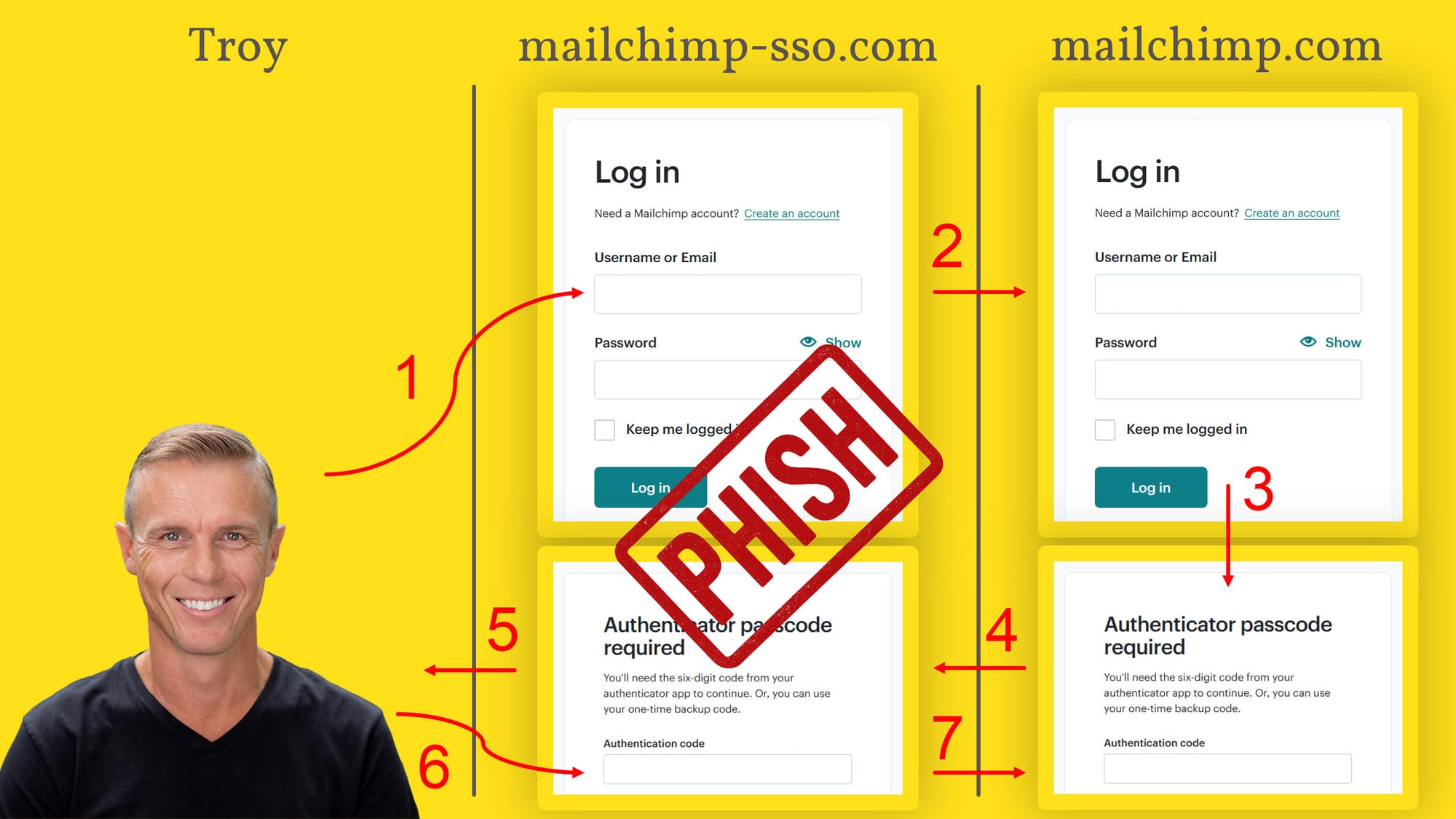
Passkeys rely on origin binding to prevent phishing, meaning a key generated for example.com cannot be used on fake-example.com. However, this protection is not absolute. Sophisticated phishing attacks can mimic legitimate interfaces to trick users into signing transactions they do not intend to make. Unlike passwords, which are static secrets, passkeys are interactive cryptographic proofs that can be manipulated if the user interface is compromised. Always verify the domain in your browser’s address bar before signing.
Recovery and Account Loss
The most common mistake is treating passkeys like traditional passwords with a simple backup. If you lose access to the device storing your passkey—and you have not set up cross-device sync or cloud backup—you may lose access to your wallet permanently. Unlike seed phrases, which are human-readable and portable, passkeys are often tied to specific hardware security modules. Without a robust recovery plan, a broken phone can mean a lost fortune.
Device Lock-in
Some wallets bind passkeys exclusively to their own ecosystem. This creates a vendor lock-in that makes switching platforms difficult. If a provider discontinues support or changes its API, your keys may become inaccessible or cumbersome to migrate. Look for wallets that support standard protocols like FIDO2 or WebAuthn across multiple devices, ensuring you are not trapped in a single vendor’s walled garden.
Passkey wallets: what to check next
What are the downsides of passkeys?
Passkey wallets are not universal yet. If a service hasn’t implemented the WebAuthn standard, you still need a password or seed phrase. Device dependency is also a factor; losing your primary phone can lock you out until you restore access through a secondary device or backup code. However, most major platforms are integrating support rapidly.
What is the safest passkey?
The safest option is a passkey stored in dedicated tamper-resistant hardware, such as a secure enclave on your smartphone or a hardware security key. These devices store the private P-256 key locally and gate every signature behind biometrics like FaceID or TouchID, making remote extraction nearly impossible compared to software-only solutions.
Can your passkey be hacked?
A passkey itself cannot be phished or guessed because it relies on public-key cryptography. The private key never leaves your device. While the device itself can be compromised by malware, the cryptographic key remains isolated in secure hardware. This makes passkeys significantly more resistant to credential theft than traditional passwords.
Where can I find the base wallet passkey?
For Base Wallet, you manage your passkey directly within the Coinbase Wallet app under security settings. You can view associated devices and set up recovery methods there. If you need to recover access, the app guides you through restoring your wallet using your backup phrase or trusted device, rather than a traditional password.
No comments yet. Be the first to share your thoughts!