
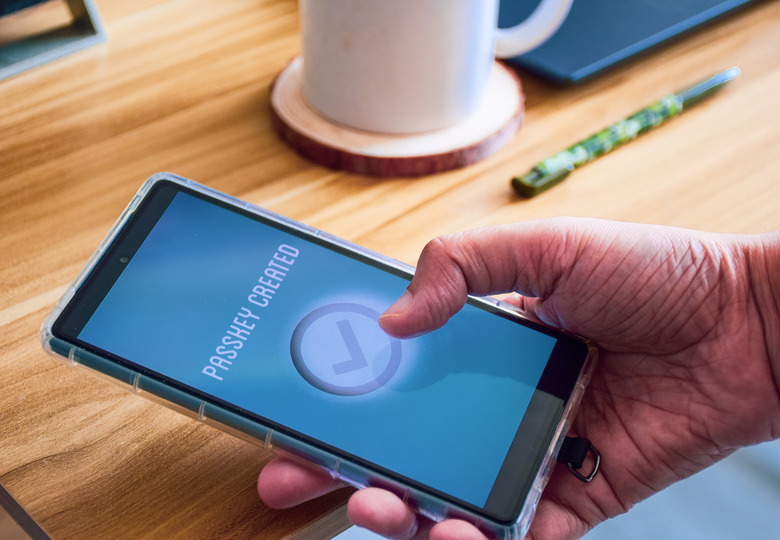
The passkey wallet limits to account for
A passkey wallet is a Web3 smart account that replaces traditional seed phrases with biometric authentication methods like FaceID or TouchID. By using WebAuthn and account abstraction, these wallets simplify onboarding and improve security. Exodus recently launched a passkey wallet to demonstrate how this technology can redefine crypto wallet integration, offering increased liquidity and new revenue streams for Web2 business sectors.
However, this convenience comes with a specific constraint: the passkey wallet is tied to the device or identity provider that generated it. Unlike a seed phrase that lives in your head or on paper, a passkey wallet is often locked to your phone’s secure enclave or your browser’s password manager. If you lose access to that device or switch providers, the keys do not follow you in the same way a mnemonic phrase would. This creates a "constrained" wallet experience where recovery depends entirely on the third-party identity provider rather than user-controlled backups.
This constraint means that while passkey wallets are excellent for daily transactions and ease of use, they are not yet a full replacement for self-custody for high-value storage. The tradeoff is clear: you gain security against phishing and ease of use, but you lose the absolute, provider-agnostic control that a seed phrase offers. For now, the passkey wallet serves best as a gateway for new users or a lightweight account for everyday spending, rather than a cold-storage solution for long-term holdings.
Passkey wallet choices that change the plan
Passkeys offer a compelling upgrade for crypto users tired of managing complex seed phrases, but the technology introduces specific tradeoffs that require careful evaluation. The core promise is simplicity: replacing forgotten passwords and lost recovery phrases with biometric authentication tied to your device. However, this convenience shifts the security model from self-custody of private keys to a hybrid dependency on device hardware and cloud backups.
When choosing a passkey wallet, you are balancing three critical factors: device lock-in, recovery complexity, and ecosystem compatibility. Understanding these tradeoffs helps you decide if the streamlined experience outweighs the loss of total, offline control.
Device dependency and lock-in
The most immediate tradeoff is hardware dependence. Your passkey lives in your device’s secure enclave (like Apple’s Secure Enclave or Android’s StrongBox). If you lose your phone or it breaks, you cannot access your wallet without a pre-configured recovery method. Unlike a seed phrase you can write on paper and store in a safe, a passkey is digitally bound to specific hardware. This creates a "lock-in" effect where switching devices requires a seamless backup restoration process, which can be a friction point if not set up correctly from the start.
Recovery and account abstraction
Passkey wallets often use Account Abstraction (ERC-4337) to manage recovery. This means you might have options like social recovery (trusted contacts) or time-delayed transactions if your device is compromised. While this is more user-friendly than a static 12-word phrase, it introduces new attack vectors. Social recovery relies on the security of your contacts’ devices, and time delays can be exploited if the attacker monitors your transaction history. You must evaluate whether the wallet’s recovery mechanism aligns with your risk tolerance for centralized vs. decentralized recovery.
Ecosystem compatibility
Not all dApps or exchanges support passkey authentication yet. While major platforms like Coinbase and Exodus are integrating passkeys, smaller protocols may still require traditional wallet connections (like MetaMask or WalletConnect). This fragmentation means you might need to maintain both a passkey wallet for everyday use and a traditional wallet for niche interactions. The convenience of passkeys is highest in mainstream apps but may feel limited in the broader, fragmented Web3 landscape.
| Factor | Passkey Wallet | Traditional Seed Phrase | Primary Risk |
|---|---|---|---|
| Device Loss | Requires backup restoration | No impact; key is offline | High for passkey if backup fails |
| Recovery Complexity | Biometric or social recovery | 12-24 word phrase entry | Low for seed phrase (if stored safely) |
| Ecosystem Support | Growing but fragmented | Universal across Web3 | Low for seed phrase |
| Hardware Dependency | Tied to device secure enclave | Independent of hardware | High for passkey (device-specific) |
How to Choose Your Next Passkey Step
Choosing a passkey wallet isn't about picking the most feature-rich option; it's about matching your current security posture with a wallet that supports biometric or hardware-based authentication. The goal is to move away from seed phrases toward cryptographic keys stored in your device's secure enclave.
1. Audit Your Current Device Security
Start by checking if your primary devices support WebAuthn, the underlying standard for passkeys. Most modern iPhones, Android phones, and Windows PCs with biometric sensors or Windows Hello support this out of the box. If you are still relying solely on password managers without biometric integration, upgrading your hardware or enabling existing biometric features is the first prerequisite.
2. Select a Web3-Compatible Wallet
Not all wallets support passkeys yet. Look for wallets explicitly built on account abstraction standards, such as those using ERC-4337. Exodus recently launched a passkey-integrated wallet to simplify onboarding, but you should also evaluate established options like Safe or Rabby if they have released passkey modules. Ensure the wallet allows you to export or backup the passkey if your device is lost.
3. Test with a Low-Stakes Account
Before migrating your main holdings, create a new wallet using your passkey. Link it to a decentralized application (dApp) that requires signing transactions. Verify that the biometric prompt (FaceID, TouchID, or fingerprint) triggers correctly and that the transaction signs without requiring a manual seed phrase entry. This step confirms the wallet's integration is stable.
4. Plan for Device Recovery
The biggest risk with passkeys is losing access to the device that holds the private key. Check if your chosen wallet offers a "recovery wallet" or social recovery mechanism. If not, ensure you have a way to migrate the passkey to a new device or export a backup key in a secure, encrypted format. Without a recovery plan, losing your phone could mean losing your assets permanently.
5. Monitor for Cross-Platform Sync
If you use multiple devices, test how the passkey syncs. Some wallets sync passkeys via iCloud Keychain or Google Password Manager, making them accessible across your phone, tablet, and laptop. Others may require manual export/import. For a seamless experience, choose a wallet that leverages your existing cloud identity provider for cross-device access.
-
Verify WebAuthn support on your devices
-
Choose a wallet with account abstraction support
-
Test passkey signing on a small transaction
-
Confirm recovery options for lost devices
-
Check cross-device sync capabilities
Watch Out for Weak Passkey Options
Not every wallet claiming "passkey support" actually delivers security. Many projects use the term loosely, implementing only partial WebAuthn flows or relying on centralized servers for key recovery. This creates a false sense of security. If the private key isn't stored locally in your device's secure enclave, you haven't eliminated the password problem; you've just moved the vulnerability.
Fake Multi-Device Sync
Some wallets advertise seamless syncing across devices without a seed phrase. In reality, this often means your keys are encrypted and stored on their servers. If they get hacked or shut down, you lose access. True passkey wallets use decentralized storage protocols or device-to-device sharing without exposing the private key to any third party.
Abandoned Standards
Early passkey implementations varied wildly. Some wallets used proprietary protocols that don't interoperate with modern dApps or hardware security keys. If a wallet hasn't been updated to support the latest FIDO2/CTAP2.1 standards, it may fail to log in to newer services or refuse to export your identity. Always check the wallet's documentation for current standard compliance.
Hidden Recovery Traps
The biggest risk isn't losing your phone; it's losing your account because the "recovery" process is broken. Some wallets require you to save a backup code that they claim is unnecessary. If you lose your biometric access and don't have that code, your funds are gone. Read the recovery section carefully. If it's vague, assume it's broken.
Common passkey wallet: what to check next
Passkeys are changing how we interact with digital assets, but the shift brings new practical hurdles. Here are the answers to the most frequent questions about moving away from traditional passwords and seed phrases.
What is a passkey wallet?
A passkey wallet is a Web3 smart account that replaces traditional seed phrases with biometric authentication methods like FaceID or TouchID. By using WebAuthn and account abstraction, these wallets simplify onboarding and improve security. The private key never leaves your device, stored instead in a secure hardware module.
What are the downsides of passkeys?
The primary risk is device dependency. If you lose your phone or computer, regaining access can be difficult without a pre-configured recovery method. Unlike seed phrases, which can be written on paper and stored offline, passkeys are tied to specific hardware. Some users also worry about platform lock-in, as switching between different operating systems or wallet providers may require complex account recovery processes.
Where can I find the base wallet passkey?
For Base users, passkeys are managed directly through the Coinbase Wallet interface. You can set up or retrieve your passkey by signing into your Base account and navigating to the security settings. The passkey acts as your unique digital key for signing transactions, eliminating the need to memorize a recovery phrase.
How do I access a passkey?
Accessing a passkey is as simple as authenticating with your device’s biometrics or PIN. When you log in to a supported service or sign a crypto transaction, your device prompts you to verify your identity using FaceID, TouchID, or your screen lock password. This process is faster and more secure than typing in a long password or entering a 12-word recovery phrase.
No comments yet. Be the first to share your thoughts!