
What is a passkey wallet?
A passkey wallet is a self-custody solution that replaces the traditional seed phrase with biometric authentication. Instead of memorizing twelve words or writing them on paper, you sign transactions using the same technology that unlocks your phone or laptop. This approach leverages WebAuthn, the open standard for passwordless login, to manage your private keys entirely within your device's hardware.
In a conventional crypto wallet, you generate a private key and back it up as a seed phrase. If you lose that phrase, your funds are gone. If a hacker steals it, your funds are drained. A passkey wallet changes this dynamic by generating a unique cryptographic key pair for each wallet or service. The private key remains locked in your device's Secure Enclave or TPM (Trusted Platform Module), inaccessible to the operating system or any app. To sign a transaction, you simply authenticate with Face ID, Touch ID, or a PIN. The hardware signs the transaction internally and returns only the signature, ensuring the private key is never exposed.
This architecture offers significant advantages for everyday users. There is no seed phrase to copy, paste, or lose. Recovery is handled through your device manufacturer’s ecosystem or the wallet provider’s backup services, which are often more intuitive than reconstructing a mnemonic phrase. However, this convenience comes with a trade-off: you are dependent on your device functioning correctly. If your phone is lost and you haven't backed up the passkey to your cloud account, recovery can be more complex than it initially appears.
The rise of passkey wallets aligns with a broader shift in Web3 toward user experience. Major platforms are increasingly adopting WebAuthn for both centralized exchanges and decentralized applications. This integration means that managing your digital assets can feel as simple as logging into your bank account, without sacrificing the non-custodial nature of blockchain technology. As the infrastructure matures, passkey wallets are becoming a viable alternative for those who find seed phrases too cumbersome or risky.
Security benefits of passkey wallets
Passkey wallets shift the burden of security from human memory to hardware. Traditional non-custodial wallets require users to generate, store, and protect a seed phrase—a 12 or 24-word string that serves as the master key to all assets. If that phrase is lost, the funds are gone forever. If it is photographed, typed into a website, or stored in a cloud note, it is compromised. Passkey wallets eliminate this single point of failure by using public-key cryptography managed by the device’s secure enclave.
The primary advantage is phishing resistance. When you sign a transaction with a passkey, the cryptographic signature is bound to the specific domain or app requesting it. If you are tricked into connecting your wallet to a fake phishing site, the passkey will not sign the transaction because the domain does not match the one the key was created for. This technical constraint makes social engineering attacks significantly harder to execute successfully compared to traditional EOAs, where a user can accidentally sign a malicious transaction if they do not carefully inspect the data.
Additionally, the private key never leaves your device. It is stored in the same hardware security module that unlocks your phone or laptop. This means there is no central database of seed phrases to hack, and no need to write down sensitive information on paper. The security model relies on the same infrastructure that protects your login credentials, biometric data, and device PINs, creating a more robust and user-friendly security layer for Web3.
Top passkey wallet options for 2026
Use this section to make the How Passkey Wallets Replace Seed Phrases decision easier to compare in real life, not just on paper. Start with the reader's actual constraint, then separate must-have requirements from details that are merely nice to have. A practical choice should survive normal use, maintenance, timing, and budget. If a recommendation only works in an ideal situation, call that out plainly and give the reader a fallback path.
The simplest way to use this section is to write down the must-have criteria first, then compare each option against those criteria before weighing nice-to-have features.
How passkey wallets handle recovery
Traditional crypto wallets rely on a single point of failure: a 12- or 24-word seed phrase. If you lose that string, your funds are gone. Passkey wallets replace this fragile mechanism with recovery paths that mirror how you already secure your daily digital life.
Instead of memorizing random words, passkey wallets use biometric authentication (Face ID, Touch ID) or device PINs to sign transactions. The private key never leaves your device’s secure enclave. But what happens if you lose the phone or switch to a new one? The recovery model shifts from "backup your key" to "restore your identity."
Device Sync and Cloud Backups
Many passkey wallets leverage platform-specific cloud backups to manage key shares. For example, Apple’s iCloud Keychain and Google’s Password Manager can encrypt and sync passkey data across your trusted devices. If you get a new iPhone, you simply sign in with your Apple ID and restore from a recent backup. The passkey is reconstructed locally, and you regain access without ever touching a seed phrase.
This method is convenient but ties your crypto identity to your device ecosystem. If you switch from iOS to Android, you may not be able to transfer the passkey directly. Some wallets mitigate this by offering cross-platform recovery options, but the default experience is often platform-bound.
Social Recovery
For users who want more control or cross-platform flexibility, social recovery offers an alternative. Instead of relying on a cloud provider, you designate a group of trusted contacts or devices as guardians. To recover access, you need a threshold number of these guardians to approve the recovery request.
This approach is more complex to set up but removes the single point of failure of a cloud backup. It also allows you to recover your wallet even if you lose all your devices, provided you can contact your guardians. However, it requires careful management of your guardian list and clear communication about the recovery process.
The Trade-Off
The shift from seed phrases to passkey recovery is a trade-off between convenience and control. Seed phrases give you full sovereignty but require rigorous self-custody. Passkey wallets offer ease of use and built-in recovery but introduce dependency on platform providers or social networks. For most users in 2026, the convenience of biometric recovery outweighs the theoretical risks, making passkeys the dominant standard for everyday crypto interactions.
Getting started with passkey wallets
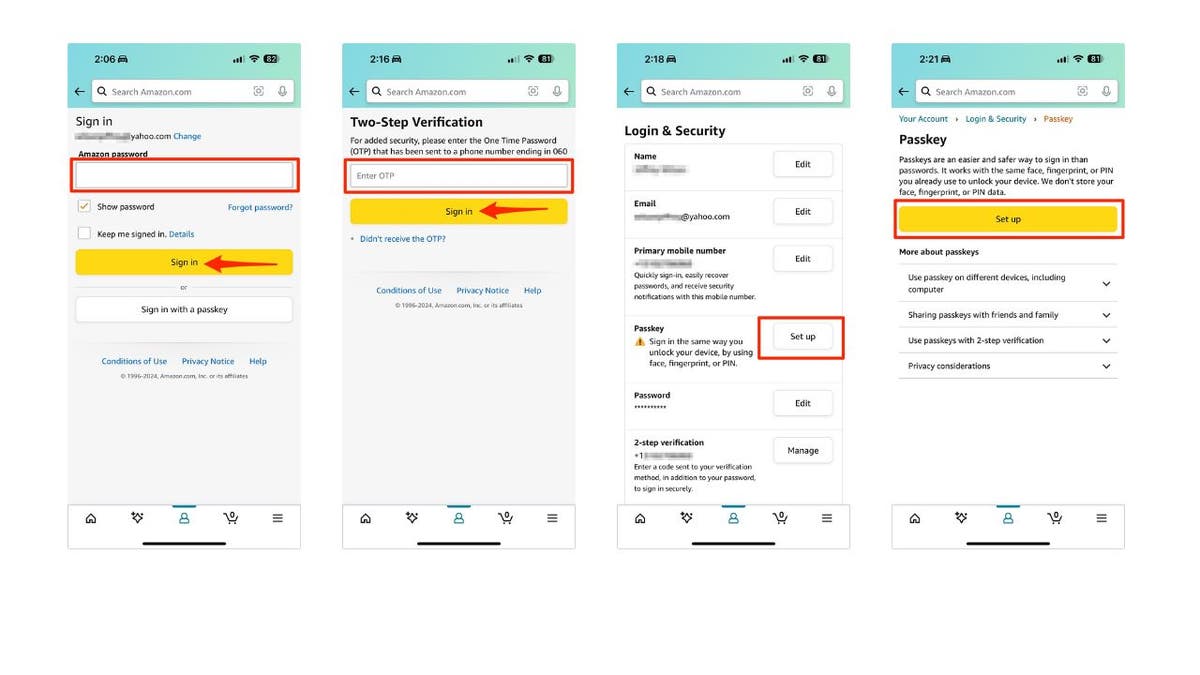
Adopting a passkey wallet shifts your identity management from a shared secret (the seed phrase) to your device’s biometric hardware. This transition requires verifying that your hardware supports WebAuthn, the standard protocol behind passkeys, and selecting a wallet that syncs keys across your trusted devices. The process mirrors setting up two-factor authentication on a bank account, but with the added layer of cryptographic key generation.
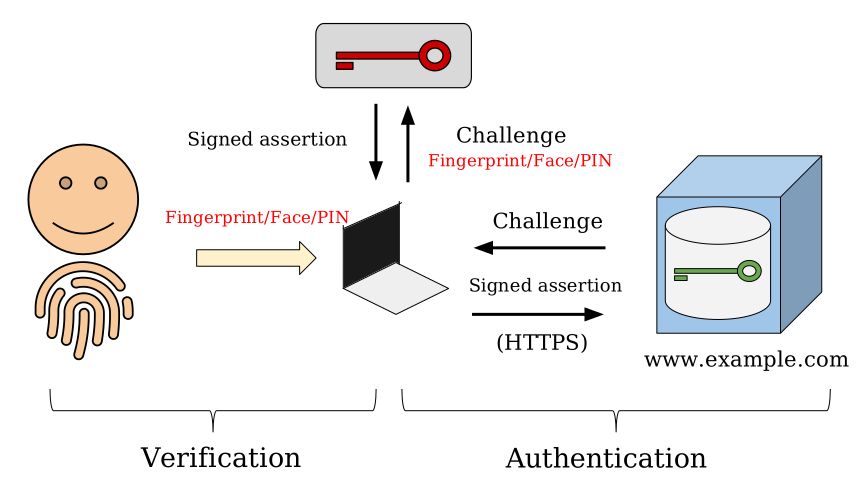
Most modern smartphones and laptops support passkeys out of the box. Apple devices use Face ID or Touch ID, while Android devices rely on screen locks or biometric sensors. Windows 11 and macOS Sonoma also offer native support. Check your operating system settings to ensure biometric authentication is enabled and linked to your primary user account.
Not all wallets support passkey storage. Look for wallets that explicitly state they use the WebAuthn standard for key management. Leading options include Coinbase Wallet and MetaMask, which allow you to set up passkeys as the primary authentication method. Ensure the wallet provider offers cross-device syncing so you can access your assets from multiple trusted devices.
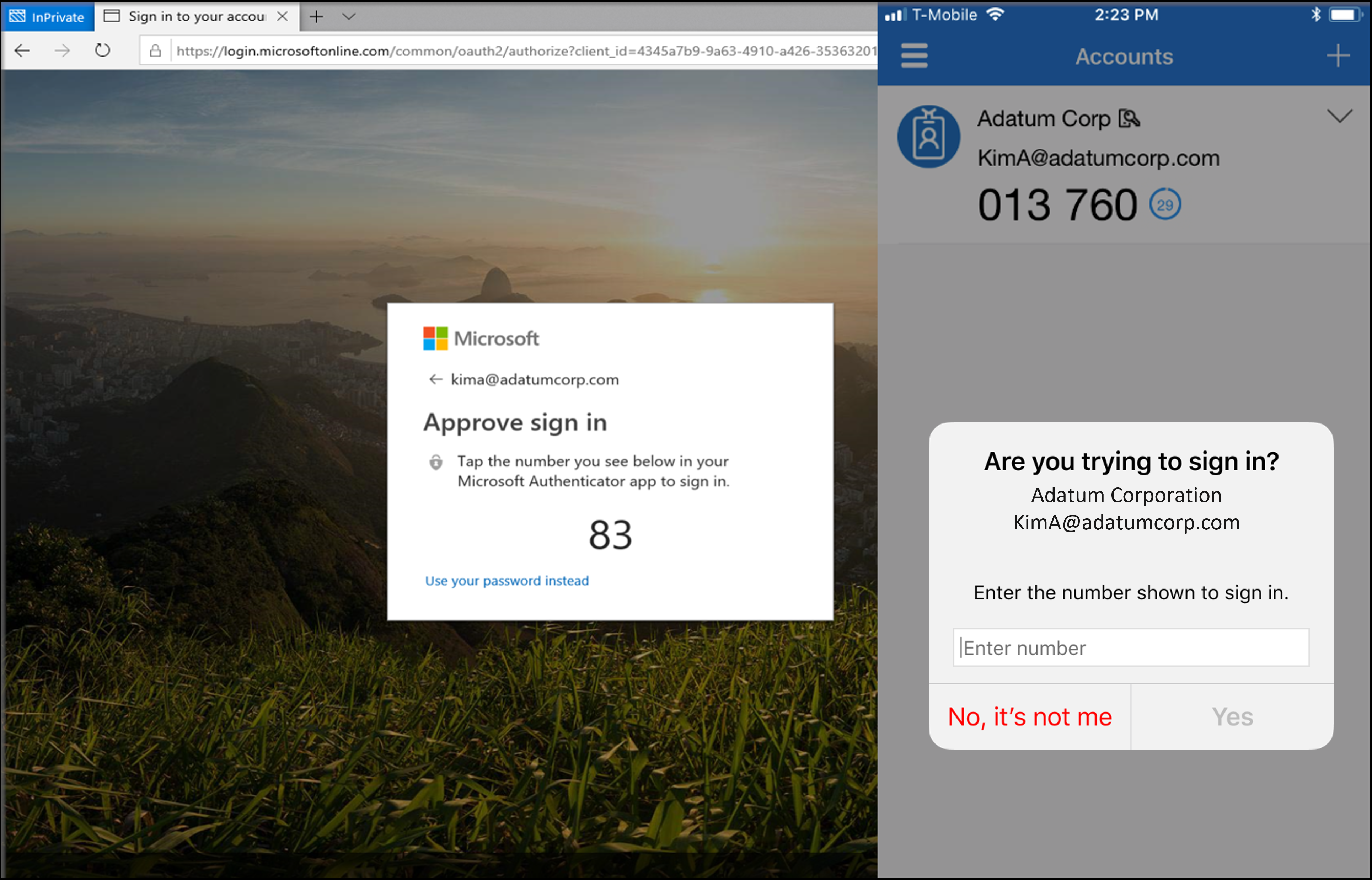
Install the wallet application and select the option to create a new wallet using a passkey. During setup, you will be prompted to verify your identity using your device’s biometric sensor. The wallet generates a private key pair on your device, and the public key is registered with the wallet provider’s servers. You do not need to write down a seed phrase; instead, you rely on your device’s secure enclave to protect the private key.
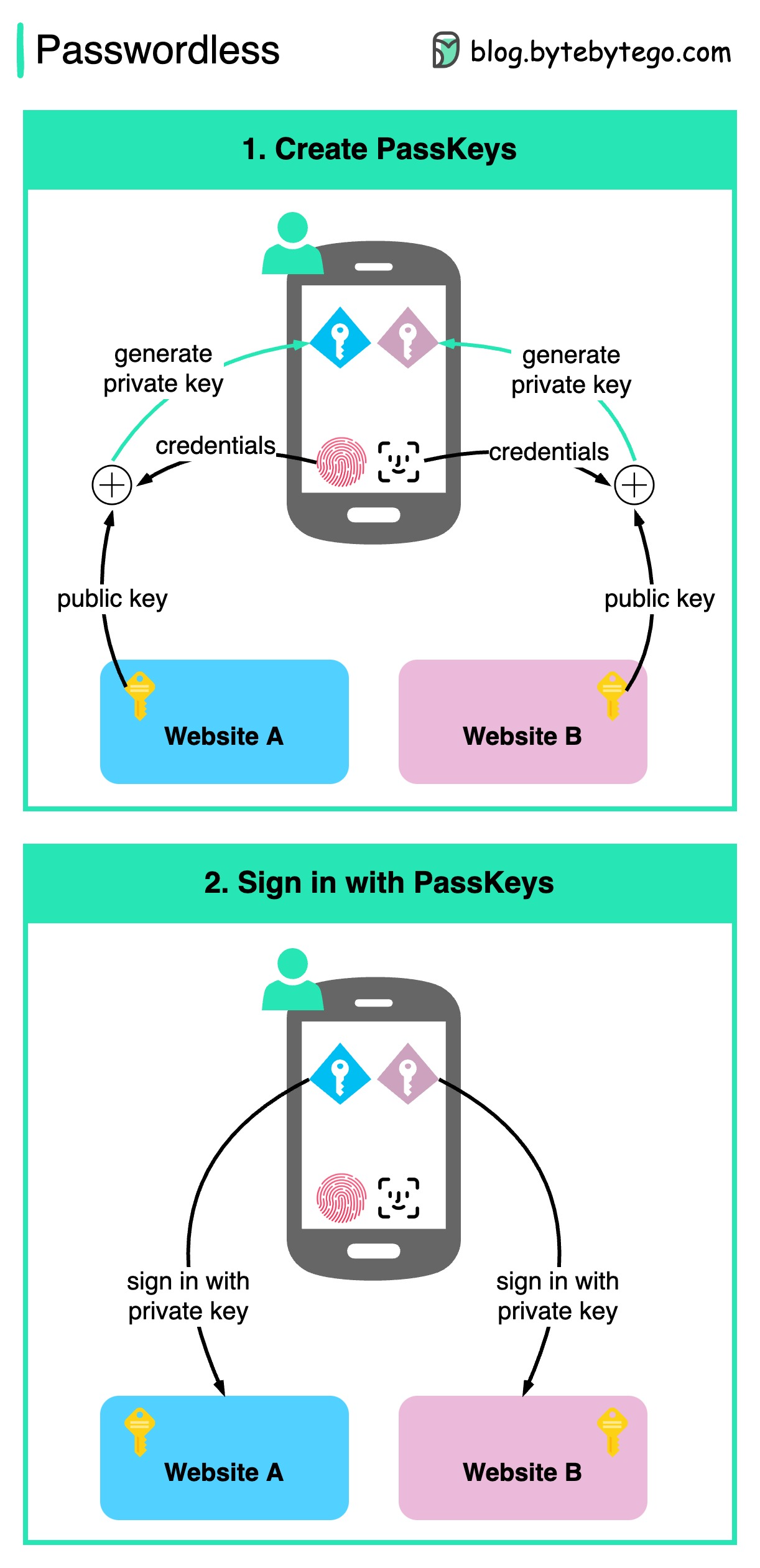
Before funding your wallet, test the login process on both your primary and backup devices. Ensure you can access your wallet using your biometric sensor on each device. If you lose your primary device, you should be able to recover access using your backup device or a recovery method provided by the wallet vendor, such as a backup passkey or email verification.
This approach eliminates the risk of phishing attacks targeting seed phrases, as the private key never leaves your device. However, it introduces a new dependency on your hardware. If your device is lost or damaged, you must have a backup method to regain access to your assets. Always keep your device’s operating system updated to ensure you have the latest security patches for biometric authentication.
FAQ: Passkey Wallet Security and Recovery
Can I use my passkey wallet on multiple devices? Yes. Passkeys rely on public-key cryptography, syncing your unique digital key across devices via your operating system’s cloud backup (like iCloud Keychain or Google Password Manager). This allows you to sign in and manage assets from any authorized device without storing a single password or recovery phrase locally.
What happens if I lose my phone? Unlike seed phrases that live in your head or on paper, passkeys are often backed up to your cloud account. If your phone is lost, you can restore access on a new device by verifying your identity through your provider’s standard login process. However, you must ensure your cloud backup is enabled beforehand; otherwise, access may be restricted until you can verify your identity through alternative means.
Are passkey wallets more secure than seed phrases? They prevent phishing and key theft by design. Because passkeys never leave your device as a raw string, they cannot be copied by malicious websites or intercepted in transit. This contrasts with seed phrases, which are vulnerable to being written down on insecure paper or stored in plain text files on compromised computers.
Can I recover a passkey wallet if I forget my biometrics? Recovery depends on your device’s security settings. Most modern smartphones allow you to reset biometric locks or add new fingerprints/face IDs without losing the underlying passkey. If your device is factory reset, the passkey typically persists in your cloud backup, allowing you to re-sync it to a new device.
Do passkeys work with all crypto wallets? Compatibility is growing but not universal. Major wallets like Coinbase Wallet and Trust Wallet support passkeys, but many smaller or hardware-focused wallets still rely on traditional seed phrases. Always check the specific wallet’s documentation to confirm passkey support before migrating your assets.
Helpful gear
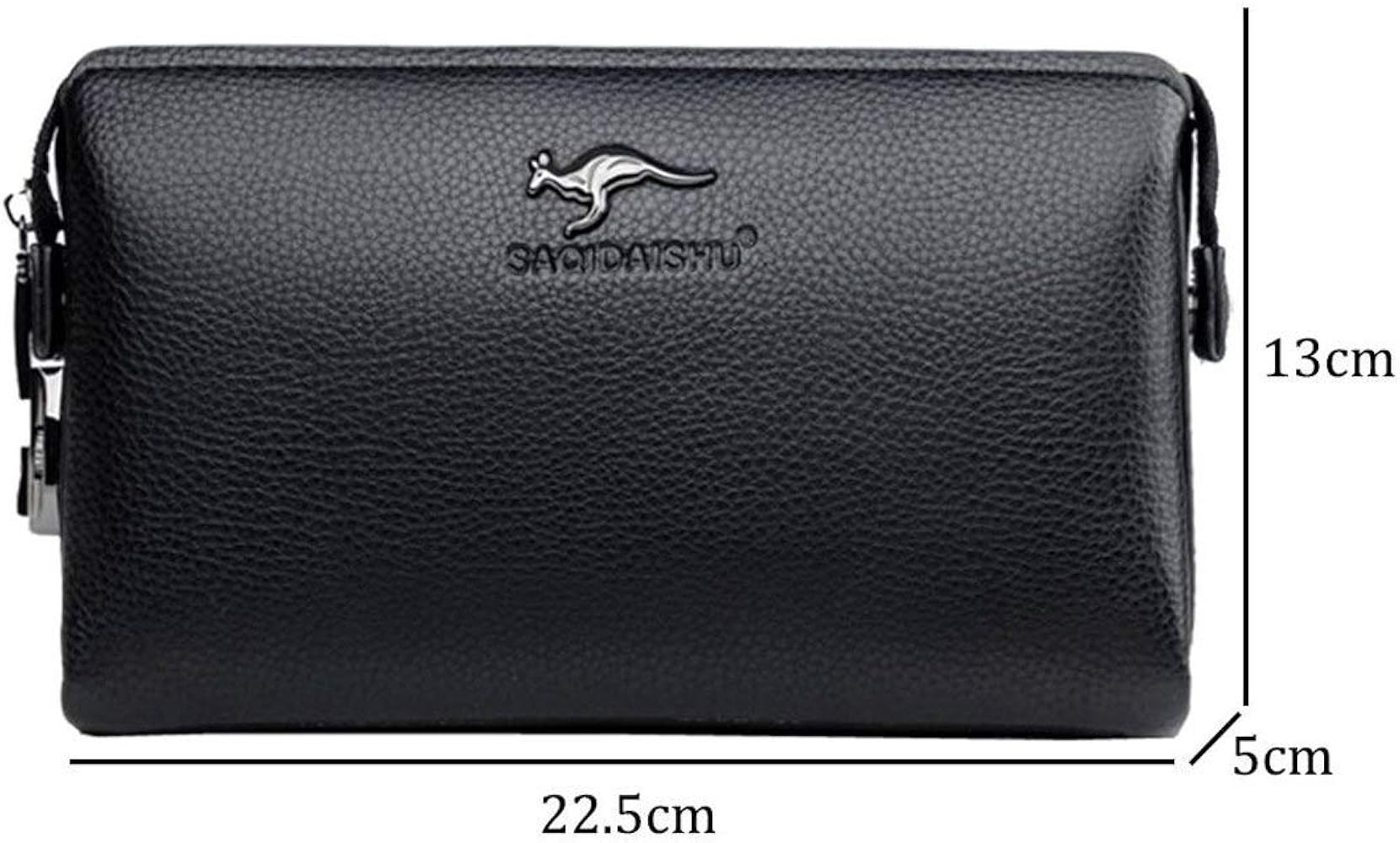
Use these product recommendations as a starting point, then choose the size, material, and price point that fit how you actually use the gear.
As an Amazon Associate, we may earn from qualifying purchases.
No comments yet. Be the first to share your thoughts!