
The 2026 shift to biometric crypto
The landscape of digital security is undergoing a quiet but decisive transformation. For over a decade, the seed phrase has been the non-negotiable burden of cryptocurrency ownership. Those twenty-four words were the ultimate backup, but also the ultimate point of failure. In 2026, that model is being displaced by passkeys, shifting the responsibility of security from human memory to hardware-backed biometrics.
This shift is not merely theoretical; it is already scaling globally. According to Andrew Shikiar, CEO of the FIDO Alliance, over 4 billion passkeys are now being used to secure sign-ins worldwide. This massive adoption curve indicates that the infrastructure for biometric authentication is mature enough to support the high-stakes environment of crypto wallets.
The move away from seed phrases addresses the most common vector for crypto loss: user error. By leveraging device-specific secure enclaves, biometric crypto wallets eliminate the need to manually record or store private keys. This aligns with the broader industry trend toward frictionless, yet robust, identity verification. As major platforms integrate these standards, the barrier to entry for secure digital asset management continues to lower, marking 2026 as the tipping point for mainstream adoption.
How passkeys replace seed phrases
The transition from seed phrases to passkeys shifts crypto security from human memory to device hardware. Traditional wallets rely on a 12-to-24 word recovery phrase, a string of data that users must memorize or write down. This model is fragile. If the phrase is lost, the assets are gone forever. If it is stolen, the attacker has full control. Passkey wallets remove this burden by storing the private key locally on your device’s secure enclave, protected by biometrics or a device PIN.
This mechanism uses public-key cryptography to ensure safety without requiring memorization. When you create a passkey wallet, your device generates a key pair. The private key never leaves the device. Instead of handing over a secret phrase to verify ownership, your device uses the private key to sign transactions locally. The public key is shared with the blockchain. This separation means that even if a service is compromised, the attacker cannot extract your private key because it is never transmitted.
The result is a system that is inherently resistant to phishing. In a traditional setup, you might be tricked into entering your seed phrase on a fake website. With passkeys, the authentication is bound to the specific domain. A phishing site cannot trick your device into signing a transaction for a different address or domain. The cryptographic proof is tied to the legitimate wallet interface, making credential theft nearly impossible.
By moving the private key into the secure hardware of phones and computers, passkey wallets eliminate the most common vector for crypto loss. You no longer need to worry about losing a piece of paper or sharing a digital secret. The device itself becomes the vault, using familiar authentication methods to unlock access to your assets.
Top smart wallets supporting passkeys
Choosing the right provider depends on how you prioritize security, ease of use, and ecosystem integration. In 2026, the most reliable self-custody solutions have moved beyond simple seed phrases, adopting passkey authentication to protect assets while allowing for account recovery. This shift reduces the friction of managing private keys while maintaining the core principle of self-custody.
The following comparison highlights three leading smart wallets that integrate passkey technology. Each offers a distinct approach to balancing user experience with security controls.
| Provider | Passkey Support | Recovery Options | Ecosystem | Best For |
|---|---|---|---|---|
| Argent | Native iOS/Android | Social recovery guardians | Multi-chain EVM | Mobile-first users |
| Coinbase Wallet | Integrated Web3 | Email/Seed phrase | Coinbase exchange | Beginners |
| Safe | Via integrations | Multi-sig thresholds | Institutional/DAO | Team governance |
Argent leads in native mobile integration, allowing users to create wallets directly on iOS or Android devices using their existing biometric passkeys. Its social recovery model lets designated guardians help restore access if a device is lost, removing the fear of permanent asset loss. This makes it a strong choice for everyday mobile transactions.
Coinbase Wallet offers a streamlined entry point for users already familiar with the Coinbase exchange. Its passkey support is tightly integrated into the Web3 experience, simplifying onboarding for newcomers. While it relies on traditional seed phrase backups in some flows, the passkey layer significantly reduces the cognitive load of key management.
Safe provides a more institutional-grade approach. While it doesn't always offer native passkey buttons in the same way, its multi-signature architecture allows for complex recovery policies. This is ideal for DAOs or teams where governance and shared control are more important than individual convenience.
Common Mistakes When Switching to Passkey Wallets
Moving your assets to a passkey wallet removes the seed phrase, but it does not remove the responsibility of security. The biggest risk is assuming your device is enough. If your phone is lost, stolen, or damaged, and you haven't set up a backup, your funds are locked away forever. Unlike a seed phrase you can write on paper, a passkey is tied to hardware. Without a proper recovery plan, that hardware failure becomes a permanent loss of access.
1. Skipping the Backup Helper Setup
Most modern smart contract wallets that support passkeys offer "backup helpers" or social recovery options. These allow designated contacts or hardware tokens to restore access if your primary device is unavailable. Skipping this step is like removing the spare tire from your car and driving on the highway. You might not need it today, but when you do, it is too late.
2. Not Testing Recovery Before Depositing
Many users create a passkey wallet and immediately deposit significant funds. This is a critical error. Always test the recovery flow with a small amount of assets first. Verify that your backup contacts receive the request and that you can successfully restore access on a new device. This test proves that your recovery plan actually works.
3. Assuming Device Sync Is Automatic
Passkeys are often synced across your Apple or Google ecosystem, but this is not universal. Some wallets require explicit configuration to sync keys across multiple devices. If you rely on a tablet or secondary phone for access, confirm that the passkey is present on that device. Relying on an assumption that sync is automatic can leave you stranded on one device.
4. Ignoring Biometric Expiration Settings
Your device's biometric authentication (FaceID, TouchID) has its own security policies. If you change your passcode or disable biometrics, the passkey might become inaccessible until re-authenticated. Check your wallet's settings to see if it requires periodic re-verification. Failing to keep your device's security settings aligned with the wallet can cause sudden lockouts.
Pre-Switch Checklist
-
Verify backup helpers are configured and contacts are notified.
-
Test recovery flow with a small test transaction.
-
Confirm passkey sync on all secondary devices.
-
Check device biometric and passcode settings.
-
Store a physical backup of any non-biometric recovery codes.
Banks and finance adopt passkeys
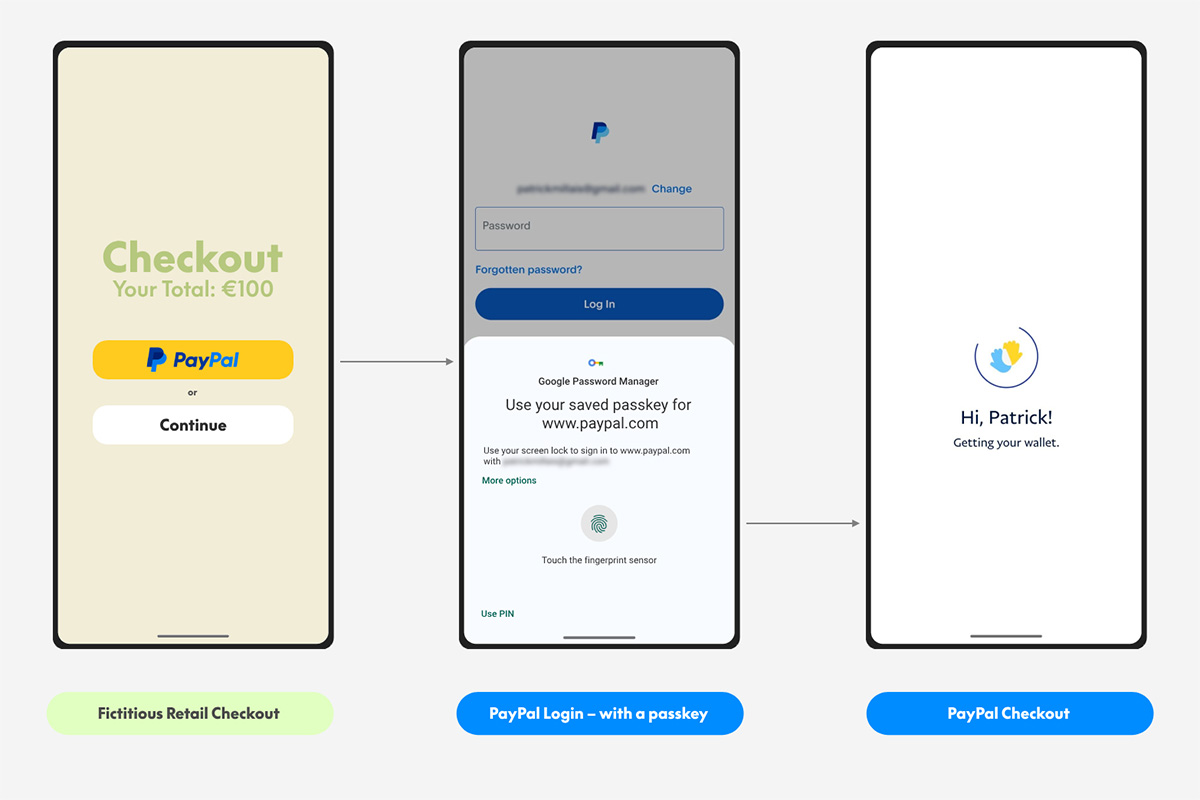
The banking sector is moving beyond experimental phases to integrate passkeys as a standard for zero-trust security. Major financial institutions are replacing traditional passwords with FIDO2-based credentials, aligning with the broader shift toward biometric and device-bound authentication.
This adoption addresses the persistent vulnerability of password reuse and phishing. By anchoring identity verification to the user’s hardware, banks reduce the attack surface without requiring complex token devices. The result is a streamlined login experience that maintains rigorous security standards.
As passkey wallets mature, their utility extends beyond crypto. Financial apps are beginning to support these credentials for transaction signing and identity verification, creating a unified security layer across digital assets and traditional accounts.
FAQ about passkey wallets
Why is a passkey no longer valid?
A passkey becomes invalid when the device storing it is lost, stolen, or reset. Because the private key never leaves the device, recovering access requires your biometric data or PIN on that specific hardware. If the device is wiped, the key is gone unless you have a cloud backup enabled through your account provider, such as Apple iCloud Keychain or Google Password Manager.
What are the downsides of passkeys?
The primary drawback is device dependency. If your phone breaks or you switch to a different brand, you cannot instantly access your wallet without your backup device. Additionally, passkeys are tied to specific operating systems, which can complicate cross-platform use. Unlike seed phrases that can be written down and stored offline in a safe, digital passkeys require functional hardware to function.
What is the new passkey thing?
Passkeys replace traditional passwords with public-key cryptography, making them immune to phishing and credential stuffing attacks. Instead of memorizing a string, you use biometrics like Face ID or fingerprint scans to authenticate. This standard, backed by FIDO2, is rapidly becoming the default for secure authentication across major browsers and operating systems.
Do any banks use passkeys?
Yes, major financial institutions have begun integrating passkey support for login and transaction approval. Banks like Chase and Capital One in the US, along with several European neobanks, offer passkey authentication to enhance security. This shift allows customers to log in without remembering complex passwords while maintaining high security standards.
No comments yet. Be the first to share your thoughts!