
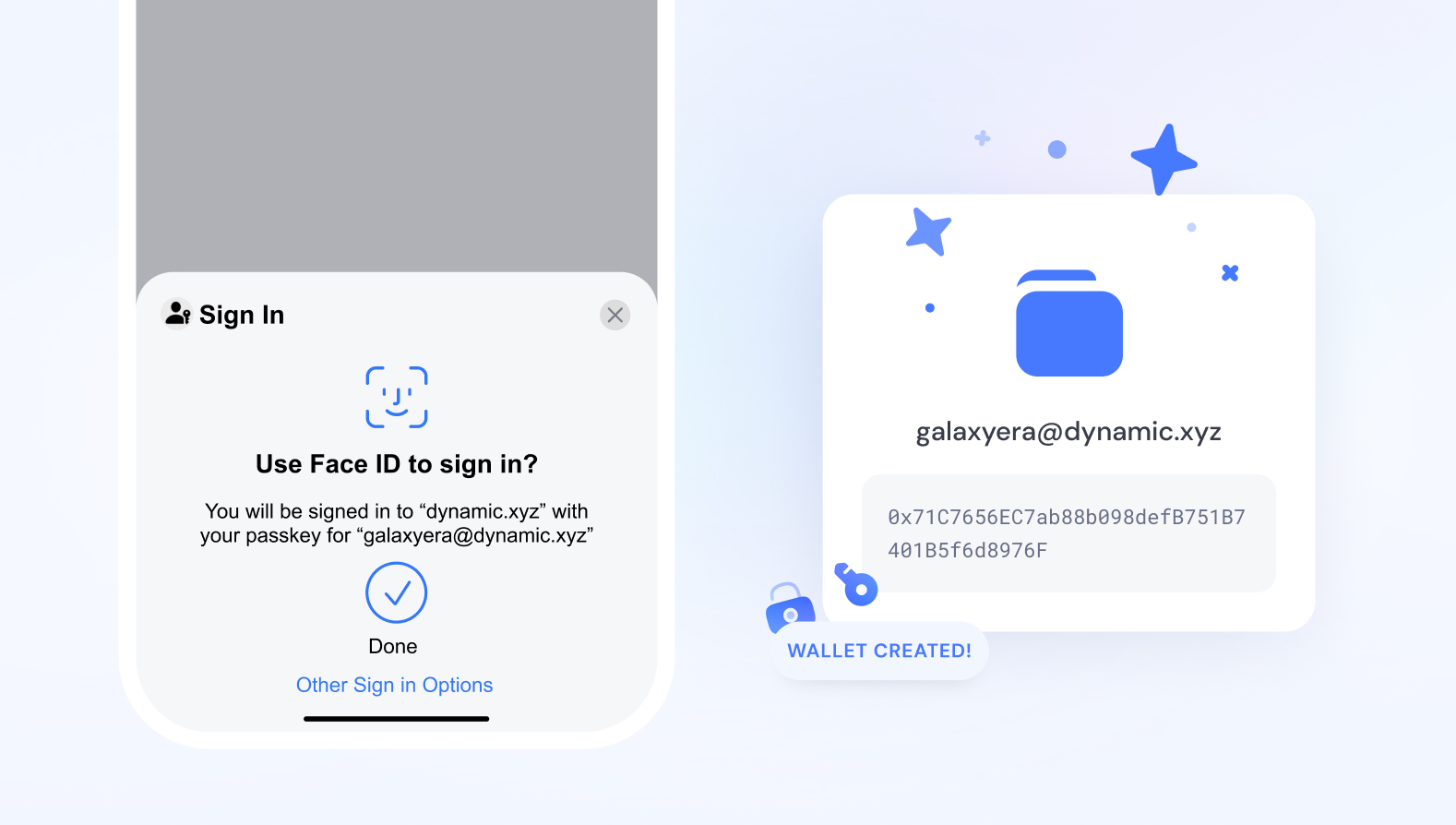
What is a passkey wallet?
A passkey wallet is a Web3 smart account that replaces traditional seed phrases with biometric authentication methods like FaceID or TouchID. By using WebAuthn and account abstraction, these wallets simplify onboarding and improve security. Instead of memorizing a 12-word recovery phrase, the private key is generated and stored in dedicated tamper-resistant hardware, such as a smartphone's secure enclave.
Every transaction signature is gated behind your biometrics. This approach removes the friction of manual key management while significantly reducing the attack surface. Since the private key never leaves the device and cannot be exported, it is much harder for phishing sites or malware to steal assets compared to standard hot wallets. This shift makes passkey wallets the new standard for enterprise passwordless security, bridging the gap between consumer ease and institutional-grade protection.
Passkey Wallets vs. Seed Phrase Wallets
The primary difference lies in key custody and recovery. Seed phrase wallets rely on user-generated randomness stored offline, which is secure but prone to human error. Passkey wallets leverage existing device hardware, offering a more user-friendly experience with comparable security for daily use.
| Feature | Passkey Wallet | Seed Phrase Wallet |
|---|---|---|
| Authentication | Biometrics (FaceID/TouchID) | Manual entry of 12-24 words |
| Key Storage | Device Secure Enclave | User-controlled (paper/air-gapped) |
| Recovery | Account Abstraction / Social Recovery | Backup seed phrase |
| Phishing Resistance | High (origin-bound) | Low (easy to type into fake sites) |
| Device Dependency | Requires original device | Device-agnostic |
Tradeoffs by Use Case
For most enterprise users and everyday transactions, passkey wallets offer the best balance of security and usability. The integration with existing device hardware means there is no extra hardware to lose or forget. However, for cold storage or long-term holding of significant assets, a hardware wallet or seed phrase remains the gold standard. Passkeys are tied to the device; if you lose your phone and cannot recover access through account abstraction, you may lock yourself out. Therefore, the safest approach often involves using passkeys for active trading and seed phrases for long-term storage.
Passkey wallet choices that change the plan
Passkey wallets replace seed phrases with biometric authentication, streamlining onboarding while introducing new dependency risks. The core tradeoff lies in balancing convenience against sovereignty. Traditional self-custody wallets offer full control but require complex backup procedures. Passkey wallets shift the burden of key management to the device manufacturer and operating system, trading absolute control for ease of use.
Hardware dependency vs. cross-device access
Passkey wallets store private keys in dedicated tamper-resistant hardware, such as a Trusted Execution Environment (TEE), gating every signature behind biometrics like FaceID or TouchID. This hardware-level security significantly reduces the attack surface for remote hacking. However, it creates a hard dependency on the specific device. If your phone is lost, stolen, or damaged, accessing your assets becomes difficult without a robust recovery plan. Unlike seed phrases, which are portable across any compatible wallet app, passkeys are often tethered to the original device or ecosystem.
Recovery complexity and account abstraction
Most passkey wallets utilize WebAuthn and account abstraction to manage recovery. This allows users to recover access through trusted devices or social contacts, removing the need to memorize 12-24 words. While this improves user experience, it centralizes risk. If the underlying authentication provider (e.g., Apple, Google) changes its policies or experiences an outage, access to your wallet may be restricted. Additionally, some implementations require a secondary backup method, such as a QR code or email-based recovery, which can introduce vulnerabilities if not configured correctly.
Security against phishing and key theft
Passkeys are designed to be phishing-resistant because they are bound to the specific origin of the website or app. This means a fake login page cannot trick your device into signing a malicious transaction. This is a significant advantage over traditional passwords and even some seed phrase wallets where users can accidentally sign bad transactions. However, this security model relies on the integrity of the operating system and the device itself. If the device is compromised with malware, the biometric gate may be bypassed, though this is generally harder than stealing a static seed phrase.
| Feature | Passkey Wallet | Traditional Seed Phrase | Custodial Exchange |
|---|---|---|---|
| Recovery | Device-based or social recovery | User-managed 12-24 words | Customer support ticket |
| Phishing Resistance | High (origin-bound) | Low (user can sign anything) | Medium (platform limits) |
| Device Dependency | High (locked to hardware) | Low (portable) | |
| Ease of Use | High (biometric login) | Low (complex backups) | High (email/password) |
How to choose the right passkey wallet
Passkey wallets are Web3 smart accounts that replace traditional seed phrases with biometric authentication methods like FaceID or TouchID. By using WebAuthn and account abstraction, these wallets simplify onboarding and improve security. However, not all implementations are equal. Choosing the right wallet depends on your specific security needs, hardware compatibility, and recovery preferences.
1. Verify hardware security and key storage
The core value of a passkey wallet lies in how it stores the P-256 key. Look for wallets that store the key in dedicated tamper-resistant hardware, such as a Secure Enclave or Titan Security Key. This hardware isolation ensures that even if your device is compromised, the private key cannot be extracted or copied. Avoid solutions that store keys in software-only environments, as these are vulnerable to malware and phishing attacks.
2. Check for account abstraction and recovery options
Traditional seed phrases are a major point of failure. Passkey wallets mitigate this by offering social or multi-device recovery. Ensure the wallet supports account abstraction, which allows for features like sponsored transactions and multi-signature approvals. Crucially, verify that the wallet provides a robust recovery mechanism, such as a trusted contact system or a hardware backup key, in case you lose access to your primary biometric device.
3. Compare supported chains and dApp compatibility
Not all passkey wallets support every blockchain or decentralized application. Check the list of supported chains to ensure compatibility with your primary assets and dApps. Some wallets are optimized for Ethereum and EVM-compatible chains, while others may support Solana or other non-EVM networks. Additionally, verify that the wallet integrates with the dApps you use daily, as compatibility can vary based on the wallet’s implementation of the ERC-4337 standard.
4. Evaluate user experience and onboarding flow
The best security is useless if the user experience is too cumbersome. Look for wallets that offer a seamless onboarding process, allowing you to create a wallet and complete transactions with minimal friction. Test the interface for clarity, speed, and ease of use. A good passkey wallet should feel as simple as logging into a website with a password manager, but with the security of a hardware wallet.
| Feature | Hardware Passkey | Software Passkey | Hybrid Passkey |
|---|---|---|---|
| Key Storage | Secure Enclave/Titan | Device Storage | Secure Enclave + Backup |
| Recovery | Physical Backup Key | Seed Phrase/Contacts | Multi-Device Recovery |
| Cost | High ($50-$150) | Free | Medium ($20-$50) |
| Convenience | Low (Requires Device) | High (Any Device) | Medium |
Decision: Which passkey wallet is right for you?
If you are managing significant assets, a hardware passkey wallet offers the highest security by keeping keys in tamper-resistant hardware. For everyday transactions and lower-value assets, a software passkey wallet provides convenience and ease of use. If you want a balance of security and convenience, a hybrid passkey wallet offers the best of both worlds, with hardware-grade security and flexible recovery options.
Avoid the weak options in passkey wallets
Not all passkey wallets offer the same level of security for enterprise use. Some providers use software-based keys that are vulnerable to malware, while others lack proper backup strategies that could lock users out of their assets. Understanding these distinctions is critical for maintaining robust security.
Software-only keys
Software-based passkeys stored in general-purpose operating systems are easier to set up but harder to protect. Malware can often intercept biometric prompts or extract private keys from memory. For enterprise environments handling significant value, this level of exposure is unacceptable. Always prioritize hardware-backed solutions.
Inadequate backup mechanisms
Some wallets fail to provide secure, multi-device recovery options. If a user loses their device and has no verified backup, their assets become permanently inaccessible. Look for wallets that support cross-device sync or secure cloud backups with proper authentication, ensuring continuity without sacrificing security.
Misleading "passwordless" claims
Many wallets claim to be fully passwordless but still rely on a master password for backup recovery. This creates a single point of failure that defeats the purpose of passkey security. Ensure the wallet truly eliminates passwords from the authentication flow, including recovery processes, to maintain the integrity of the passkey model.
Passkey wallets: what to check next
Passkey wallets replace traditional seed phrases with biometric authentication, using WebAuthn standards to sign transactions directly from your device’s secure enclave. This approach simplifies onboarding while removing the burden of managing private keys manually.
What are the downsides of passkeys?
The primary trade-off is device dependency. If you lose your phone or computer, recovering access can be complex compared to a paper seed phrase. Additionally, not all decentralized applications support passkey-based signing yet, which may limit interoperability with older Web3 protocols.
What is the safest passkey?
The safest option is a passkey stored in dedicated hardware-backed secure enclaves, such as Apple’s Secure Enclave or Android’s Titan M chip. These environments isolate cryptographic keys from the main operating system, making them resistant to malware and remote extraction attempts.
Can my passkey get hacked?
While no system is immune, passkeys are significantly harder to compromise than passwords. They rely on public-key cryptography and local biometric verification, eliminating phishing risks. A successful attack would require physical possession of your device and bypassing its biometric locks, which is extremely difficult for remote attackers.
No comments yet. Be the first to share your thoughts!