
What a passkey wallet actually is
A passkey wallet is a self-custody solution that replaces traditional seed phrases and passwords with FIDO2/WebAuthn credentials. Instead of memorizing a recovery phrase, the wallet relies on the biometric or device-level authentication already present on your phone or computer. This approach aligns with the broader industry shift toward passwordless identity, as defined by the Passkeys Foundation, which describes passkeys as cryptographic keys designed to replace passwords entirely.
The primary advantage is friction reduction. When you interact with a decentralized application (dApp), the wallet signs transactions using the same secure enclave that unlocks your device. Exodus, for example, launched a Passkey Wallet to provide this seamless onboarding experience, allowing users to bridge web2 convenience with web3 security without managing complex private keys manually.
However, this convenience introduces specific constraints. You are tethered to the device that holds the initial credential. If that device is lost or damaged, recovering access becomes more complex than writing down a 12-word phrase. You must rely on the device manufacturer’s recovery protocols or pre-configured backup options, which vary significantly by platform. This dependency is the central trade-off: you gain security and ease of use, but you sacrifice the absolute, standalone control that traditional cold storage offers.
Passkey wallet choices that change the plan
Passkey wallets offer a frictionless onboarding experience by replacing seed phrases with biometric authentication like FaceID or TouchID [src-3]. However, this convenience introduces specific structural tradeoffs that Web3 users must evaluate before migrating assets. Unlike traditional non-custodial wallets, passkey implementations often rely on smart account architectures, which change how you interact with transactions and recovery.
The primary advantage is security through ubiquity. Passkeys use public-key cryptography to create unique digital keys tied to your device, eliminating the risk of phishing attacks that target static passwords [src-4]. This makes them ideal for mass adoption, as seen in platforms like Exodus, which embed passkeys to streamline dapp integration [src-2]. Yet, this model shifts trust from your personal memory to your device manufacturer and cloud providers.
Recovery and Device Loss
The most significant risk is device dependency. If you lose your phone, you do not lose your funds, but you do lose immediate access. Recovery relies on your cloud backup (iCloud Keychain or Google Password Manager) and the ability to verify your identity on a new device. This process is slower than importing a seed phrase from a piece of paper. If your cloud account is compromised, the attacker gains access to your wallet. This is a critical distinction: passkeys are not "self-custody" in the traditional sense; they are "device-custody" with cloud synchronization.
Smart Account Complexity
Passkey wallets are typically smart accounts, meaning they run on-chain logic rather than simple key pairs. This allows for features like social recovery and batched transactions, but it also introduces gas fee variability and network dependency. You cannot easily sign transactions offline. If you need to interact with a legacy dapp that does not support smart accounts or EIP-4361 (Sign-In with Ethereum), your passkey wallet may not work. This limits interoperability compared to standard wallets like MetaMask or Rabby.
Ecosystem Support
While growing, passkey support is not universal. Major chains and dapps are adopting the standard, but many niche protocols still require private keys. You may find yourself maintaining two wallets: one for daily, low-risk interactions and another for cold storage or legacy compatibility. This fragmentation adds cognitive load. The convenience of one password is offset by the need to manage multiple identities across different security models.
The choice between these models depends on your risk tolerance and technical comfort. For most new users, the ease of passkeys outweighs the recovery complexity. For advanced users holding large sums, the offline capability of seed phrases remains unmatched. Evaluate your usage patterns before committing.
How to choose a passkey wallet
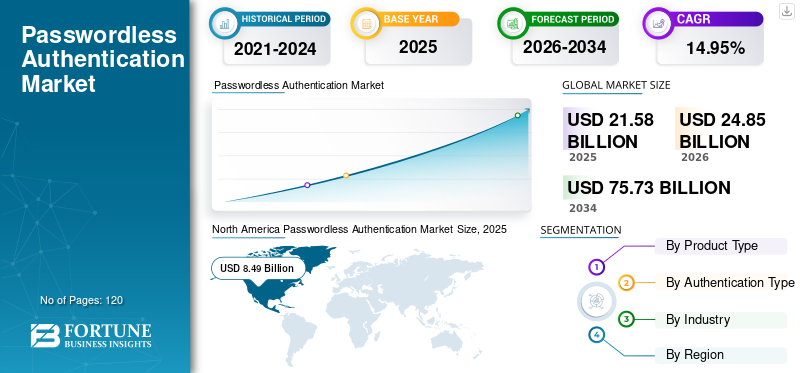
The passwordless landscape is shifting from experimental features to standard infrastructure. With the Passkeys Foundation driving adoption and major players like Exodus launching dedicated wallets, the decision is no longer whether to adopt, but which wallet fits your specific security and usability needs. This framework breaks down the practical trade-offs to help you select the right tool for 2026.
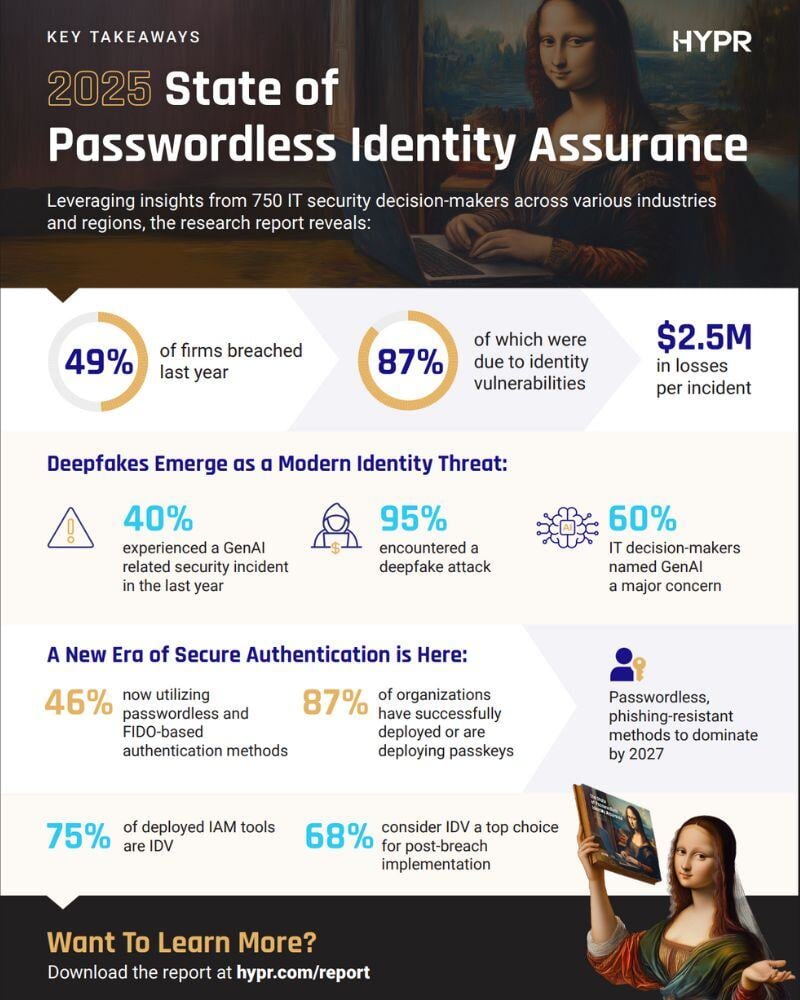
Passkeys rely on the WebAuthn standard, which requires support from both the operating system and the browser. Before committing, check if your wallet syncs seamlessly across iOS, Android, Windows, and macOS. A wallet that locks you into a single ecosystem defeats the purpose of passwordless convenience. Look for wallets that explicitly state FIDO2/WebAuthn compliance and offer robust cloud sync options for recovery.

If you interact with decentralized applications, standard email-based passkeys may not suffice. Specialized wallets, such as the Exodus Passkey Wallet, are designed to embed directly into dApps, providing a frictionless bridge between traditional identity and blockchain transactions. Evaluate whether the wallet supports EIP-4361 (Sign-In with Ethereum) or similar protocols if you plan to use it for crypto transactions beyond simple login credentials.
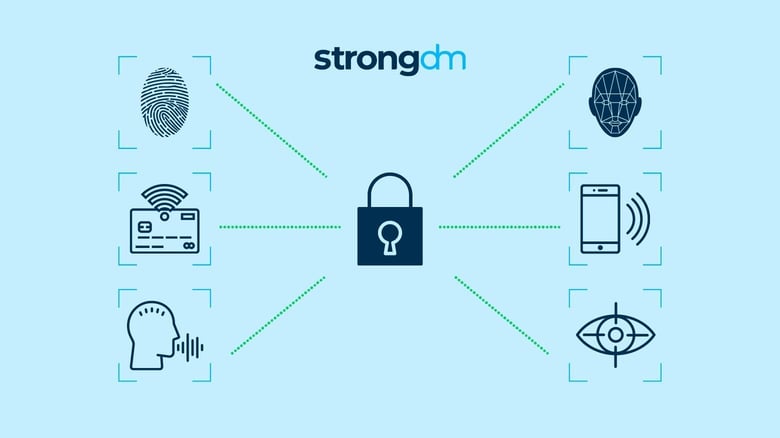
Losing your phone does not mean losing your identity, provided you have a solid backup strategy. Determine how the wallet handles device loss. Does it offer cloud-based backup encrypted with your passkey? Or does it rely on a physical recovery seed? For high-stakes assets, a hybrid approach where the passkey unlocks a cold storage solution often provides the best balance of convenience and security.
For users managing multiple professional accounts, integration with Single Sign-On (SSO) providers like Okta, Azure AD, or Google Workspace is critical. A standalone passkey wallet is less useful if it cannot authenticate into your company’s internal tools. Prioritize wallets that allow you to use your device biometrics to log into corporate portals, reducing password fatigue across your entire digital life.
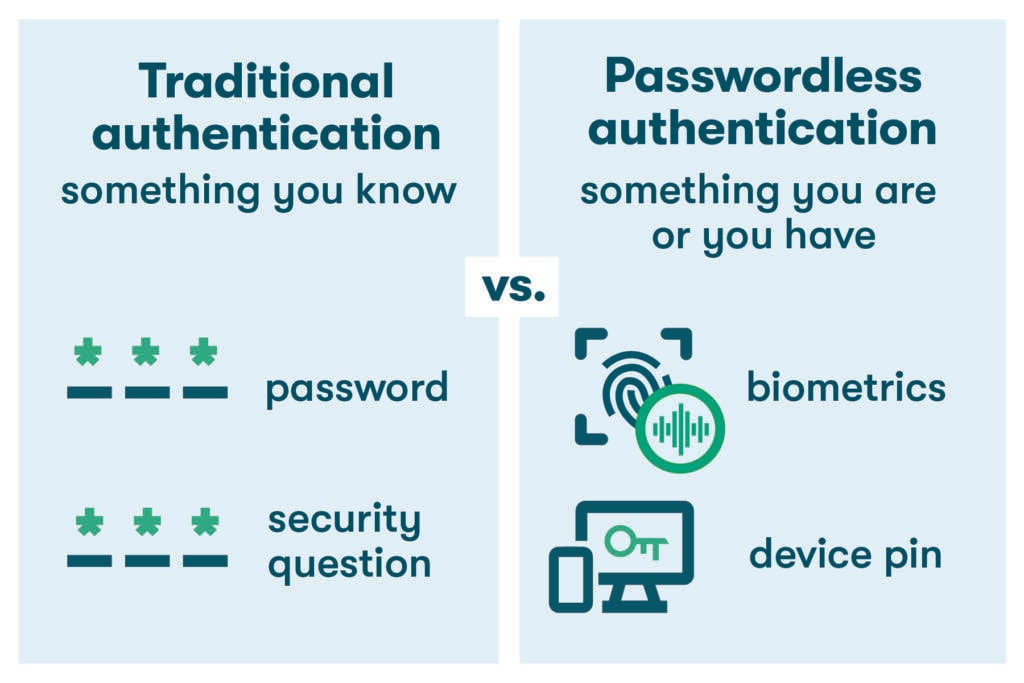
Unlike passwords, passkeys are cryptographic pairs: a public key stored by the service and a private key on your device. However, the wallet provider may still collect metadata. Review the privacy policy to understand what identity data is retained. Choose wallets that emphasize zero-knowledge architectures or minimal data collection to ensure your authentication behavior remains private.
Watch Out for Weak Passkey Options
Not every "passwordless" solution delivers true security. Many platforms still rely on weak implementations that mimic passkeys without offering their cryptographic benefits. Before switching, check these common pitfalls.
Cloud-Only Sync Without Local Backup
Some wallets sync passkeys exclusively to the cloud. If you lose access to your account or the provider restricts access, you lose your keys. Always ensure your wallet offers local backup options or cross-device recovery.
Proprietary Lock-In
Certain passkey implementations are tied to a single vendor. If you switch devices or platforms, you may find your passkeys unusable. Choose wallets that support FIDO2 standards and allow key export or migration.
Fake Biometric Promises
Some apps claim biometric security but store credentials in plain text or use weak encryption. True passkeys use public-key cryptography. Verify that the wallet uses hardware-backed secure enclaves, not just software-based authentication.
No Recovery Path
Passkeys require a recovery plan. If you lose your phone and have no backup, you are locked out. Ensure your wallet provides a clear recovery process, such as seed phrases or trusted contacts, before you rely on it for critical accounts.
FAQ: passkey wallet: what to check next
What are the downsides of passkeys?
Passkeys rely on device-bound security modules, which means they are less portable than traditional seed phrases. If your device is lost or damaged, recovery can be difficult without proper cloud backups or cross-device syncing. Additionally, not all Web3 platforms or exchanges fully support passkey authentication yet, potentially limiting where you can use your wallet compared to standard mnemonic wallets.
Where do I find my passkey?
Your passkey lives in your device’s operating system keychain, not in your email or a separate app. On iOS, it is stored in iCloud Keychain; on Android, in Google Password Manager; and on Windows, in Windows Hello. You can view, manage, or delete these credentials in your device’s security settings under "Passwords" or "Authentication Methods."
Where can I find the base wallet passkey?
For Base wallets, passkeys are managed directly within the Coinbase Wallet app interface. Navigate to your account settings and select "Security" or "Passkeys" to view your active key. Coinbase provides official documentation on how to sign in and manage your Base account passkey securely, ensuring you retain access to your smart wallet without a traditional seed phrase.
What happens to passkeys if you lose your phone?
If you lose your phone, your passkey remains safe in your cloud account (iCloud or Google) if backups were enabled. You can restore your passkey on a new device by signing in with the same account. However, if cloud backup was not enabled, recovery becomes challenging. Always set up cross-device syncing or alternative recovery methods before relying solely on a single device for your passkey wallet.
No comments yet. Be the first to share your thoughts!