
How passkey wallets replace seed phrases
A passkey wallet is a smart wallet architecture that uses WebAuthn standards to manage private keys. Instead of relying on a handwritten 12-word recovery phrase, the wallet stores a P-256 cryptographic key inside your device’s dedicated secure enclave. This hardware-backed storage ensures the private key never leaves the device, while biometric authentication—such as Face ID or Touch ID—gates every transaction signature.
This approach shifts the burden of security from the user’s memory to the device’s hardware. When you sign a transaction, the secure enclave performs the cryptographic operation locally and returns only the signed data. Because the private key itself is never exported, it cannot be stolen through phishing, clipboard malware, or cloud backups, which are common vectors for seed phrase theft.
For everyday users, this creates a frictionless experience similar to logging into a bank account. You simply authenticate with your fingerprint or face, and the wallet handles the complex signing process in the background. This removes the cognitive load of managing complex strings of words while providing security that is often stronger than traditional mnemonic backups.
Technical comparison: Passkey Wallets vs EOAs
The shift from Externally Owned Accounts (EOAs) to passkey-backed smart wallets represents a fundamental change in how private keys are managed. Traditional EOAs rely on users to manually store and protect a 12- or 24-word seed phrase. If that phrase is lost, the funds are gone; if it is copied, the funds are stolen. Passkey wallets, by contrast, store a P-256 cryptographic key in dedicated tamper-resistant hardware, gating every signature behind biometrics or device lock screens [src-serp-4].
This architectural difference creates distinct security profiles. EOAs are vulnerable to phishing because they require manual entry of sensitive data or signing of arbitrary transaction payloads. Passkey wallets mitigate this by binding signatures to specific origins and devices, making phishing significantly harder. However, they introduce a dependency on the device ecosystem—losing the device can complicate access until recovery is completed.
The table below outlines the practical differences in security, recovery, and user experience between the two models.
| Feature | Traditional EOA | Passkey Wallet |
|---|---|---|
| Key Storage | User-managed seed phrase | Hardware-backed private key |
| Recovery | Seed phrase only | Biometrics + social/device recovery |
| Phishing Resistance | Low (manual signing) | High (origin-bound) |
| Device Loss | No impact on keys | Requires recovery flow |
For traders and active users, the ease of passkey authentication often outweighs the complexity of seed phrase management. The market context for these assets remains volatile, so understanding the security layer is as important as the asset itself.
Market adoption and major providers
The passkey ecosystem is shifting from experimental features to standard infrastructure. Major custodians like Exodus, Coinbase Base, and Trust Wallet have integrated passkey support to lower the barrier to entry for Web3 users. This shift is largely coordinated by the Passkeys Foundation, which provides the open standards and developer tools required to replace traditional seed phrases with biometric or device-based authentication.
Exodus recently launched a dedicated Passkeys Wallet, allowing users to create a crypto wallet in a single click without managing a 12-word secret phrase or email login. This move targets the "on-ramp" friction point, enabling Web2 businesses to integrate crypto liquidity without forcing users to memorize private keys. Similarly, Trust Wallet has begun integrating passkey technology for wallet security and recovery, signaling that even established non-custodial giants are moving away from the seed phrase model as the default user experience.
This industry-wide adoption is supported by the Passkeys Foundation, an organization dedicated to making passkeys the standard for digital identity. By providing a unified cryptographic framework, the foundation ensures that wallets built on different platforms can interoperate. The result is a smoother onboarding process where security is handled by the device’s secure enclave rather than by the user’s memory.
The market context for this transition is visible in the broader crypto landscape. As institutional and retail adoption grows, the demand for wallets that feel as simple as a password manager but offer self-custody benefits is driving this standardization. The following chart contextualizes the market environment in which these new onboarding standards are being deployed.
Device dependency and vendor lock-in
Passkeys tether your identity to the hardware you own today. Unlike a seed phrase, which is an abstract backup that survives any device, a passkey is often bound to a specific operating system or device ecosystem. If your primary device is lost, stolen, or damaged, you may find yourself locked out of your wallet until you can access the same platform again.
Google and Apple have built robust recovery mechanisms into their ecosystems. Google’s passkey service allows recovery through other logged-in devices or account credentials, while Apple’s iCloud Keychain syncs securely across iPhones, iPads, and Macs. However, these conveniences come with a trade-off: you are relying on the continued existence and accessibility of that specific vendor’s infrastructure.
For non-technical users, this setup feels seamless. For those who value sovereignty, it introduces a single point of failure. If you switch from an iPhone to an Android device, or if a major platform changes its authentication policies, your ability to access your funds may be compromised. A seed phrase, by contrast, is platform-agnostic. It works on any compatible wallet, regardless of the manufacturer, giving you direct control over your assets without intermediary dependency.
How to set up a passkey wallet
Enabling passkeys in your crypto wallet replaces the traditional seed phrase with a cryptographic key tied to your device’s biometric or PIN authentication. This shift moves the burden of security from your memory to your operating system’s secure enclave. Major wallets like Coinbase and Exodus now support this standard, allowing you to create and access wallets without managing complex recovery strings.
1. Update your wallet app
Ensure you are running the latest version of your wallet application. Passkey support is a relatively new feature, and older versions may not include the necessary integration with WebAuthn standards. Check the app store for updates for Coinbase Wallet, Exodus, or your specific provider.
2. Navigate to security settings
Open your wallet and go to the settings menu. Look for a section labeled "Security," "Authentication," or "Account Recovery." In Coinbase Wallet, this is often found under the profile icon or account settings. In Exodus, it may be under the wallet settings or security preferences. The goal is to locate the option to enable biometric or device-based authentication.
3. Initiate passkey creation
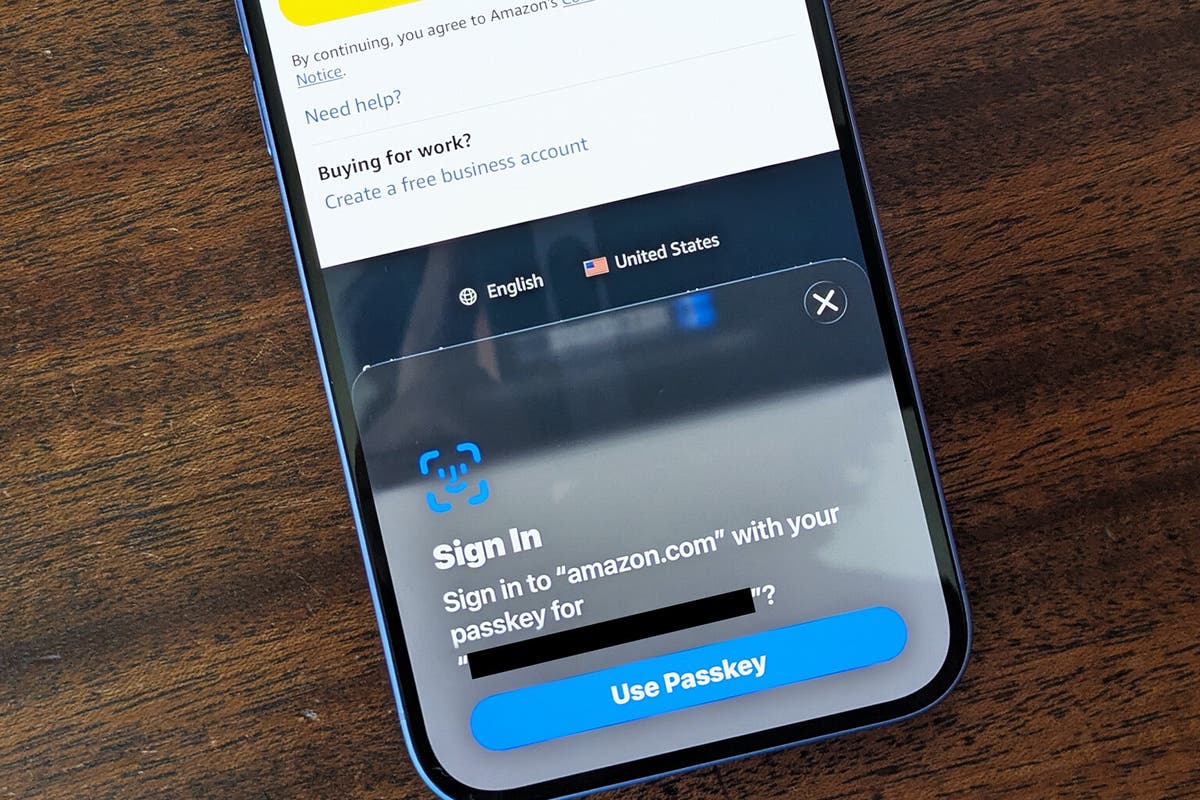
Select the option to "Enable Passkeys" or "Create Passkey." The app will trigger your device’s native authentication prompt. This is the same system used for logging into your phone or computer. You will be asked to use Face ID, Touch ID, or your device PIN to generate a unique public-private key pair stored locally on your device.
4. Verify and confirm
Once your device authenticates you, the wallet will register the passkey. You may be asked to name the passkey (e.g., "My iPhone") to identify it if you use multiple devices. Confirm the setup. Your wallet is now secured by your device’s biometrics rather than a handwritten seed phrase.
5. Test the login
Log out of the wallet app and attempt to log back in. If the setup was successful, you should be prompted for your biometric or PIN instead of a seed phrase. This confirms that your passkey is active and ready for use. Keep your device secure, as losing access to it may require recovering your wallet through backup methods provided by the wallet vendor.
Passkeys are tied to your specific device. If you lose your phone or computer, you may not be able to access your wallet without a backup method provided by the wallet provider. Always check if your wallet offers a secondary recovery option, such as a backup passkey or a traditional seed phrase, before fully abandoning the latter.
Frequently asked questions about passkey wallets
What is a passkey wallet?
A passkey wallet stores a P-256 cryptographic key in dedicated tamper-resistant hardware, gating every signature behind biometrics like Face ID or a fingerprint. This setup replaces traditional passwords and manual seed phrases with a seamless authentication method. As the Passkeys Foundation notes, this allows users to easily create a wallet and complete transactions without managing complex backup strings. The key remains bound to the device, meaning theft of the device alone is insufficient to drain funds.
What are the downsides of passkey wallets?
The primary trade-off is the loss of absolute self-custody. Because the private key is generated and stored within your device’s Secure Enclave, you cannot export the seed phrase to a hardware wallet or paper backup. If you lose access to your device and cannot recover your account through your ecosystem’s recovery methods (like iCloud or Google account recovery), your funds are permanently inaccessible. There is no "I forgot my seed phrase" safety net; the key is effectively fused to the hardware.
Where can I find the base wallet passkey?
The passkey is not a file you can download or view; it is generated internally by your device’s operating system when you first set up the wallet. You do not need to "find" the key file because the wallet application interacts directly with the device’s secure enclave. For supported wallets like Eco, the passkey is created automatically during the onboarding flow, linking your biometric identity to the blockchain address without exposing the underlying private key.
How do I get a passkey wallet?
Setting up a passkey wallet typically involves downloading a compatible wallet application and choosing the "Passkey" or "Biometric" sign-up option. During setup, the app will prompt your device’s operating system to generate a new key pair. You will then authenticate this creation using your fingerprint, face scan, or PIN. Once verified, the wallet is ready to receive and send assets, with every future transaction requiring your biometric confirmation.
No comments yet. Be the first to share your thoughts!