
How passkey wallets replace seed phrases
Passkey wallets shift the security model from mnemonic recovery to biometric public-key cryptography. Instead of relying on a human-readable string of words, these Web3 smart accounts store a P-256 key in dedicated tamper-resistant hardware. This architecture gates every transaction signature behind biometric verification, such as FaceID or TouchID, ensuring that the private key remains confined to the device's secure enclave.
This approach eliminates the primary failure point of traditional wallets: user error in seed phrase management. By integrating directly with the operating system’s credential store, passkey wallets abstract away the complexity of key generation and backup. The result is a seamless experience where authentication feels like unlocking a phone, while maintaining the non-custodial control inherent to blockchain technology.
The underlying technology leverages the WebAuthn standard to create a public/private key pair that is bound to the device. This means that even if the device is lost, the key cannot be extracted without the user’s biometric presence, significantly reducing the attack surface for phishing and remote exploitation.
Biometric security and phishing resistance
Passkey wallets shift the burden of security from memory to hardware. Instead of relying on a user to remember a complex string of characters, these wallets store a private key within a dedicated, tamper-resistant chip on the device. Every transaction is gated behind a local biometric check—such as a fingerprint or facial scan—ensuring that only the physical owner can authorize a movement of funds.
This architecture fundamentally breaks the phishing loop. Traditional wallet signatures are blind; a user might inadvertently sign a malicious contract if they are tricked into interacting with a fake interface. Passkeys are context-aware. They bind the cryptographic signature to the specific origin domain of the application. If a user is directed to a spoofed phishing site, the passkey refuses to sign the transaction because the domain does not match the one registered with the key.
The security model also eliminates the risk of key theft through database breaches. Because the private key is never transmitted over the network, there is no central repository for attackers to compromise. Even if a service provider is breached, the attacker gains nothing but metadata, as the actual signing capability remains locked behind the user’s biometrics on their personal device.
Cross-platform authentication in practice
Passkeys eliminate the friction of moving digital identity between devices by relying on synchronized cloud storage rather than manual transfers. When you create a passkey on one device, such as an iPhone, the private key remains securely stored in your device’s hardware enclave. The corresponding public key is registered with the service, while the encrypted backup is stored in your iCloud Keychain or Google Password Manager.
This architecture allows you to use the same credentials on a Mac, an Android tablet, or a Windows PC without exporting or importing files. Authentication becomes a biometric check on whichever device you are currently holding. You do not need to remember a recovery phrase or scan a QR code to bridge the gap between your phone and your laptop.
For crypto wallets, this means you can manage assets from a desktop browser while using your phone for biometric approval. The security model remains robust because the private key stays local to the device. Services like Coinbase’s Base Wallet leverage this public-key cryptography to ensure that your identity is portable yet protected by the hardware of your primary device [src-serp-3].
The result is a seamless experience where your wallet travels with you, not the other way around. You are no longer tied to a single machine, nor are you vulnerable to the phishing attacks that target traditional password resets. Your identity is simply wherever your trusted devices are synced.
Recovery and Portability
The most significant advantage of passkey wallets is the removal of seed phrases as a single point of failure. Traditional crypto wallets require users to manually back up a 12 or 24-word mnemonic. If that list is lost, the assets are gone forever. Passkey wallets replace this fragile memory task with the operating system’s built-in security infrastructure. Recovery becomes a matter of verifying identity through biometrics or a PIN on a trusted device, rather than recalling a string of random words.
Recovery mechanisms vary by provider, but most leverage social or hardware-based redundancy. For instance, platforms like Portal allow users to recover wallets using FaceID or TouchID, effectively tying the private key to the device’s secure enclave. On networks like Solana, tools such as Helius enable passkey integration that accelerates onboarding while eliminating the risk of losing seed phrases. This shift transforms account recovery from a high-stakes administrative burden into a seamless authentication flow.
This architecture also solves the portability problem. Because the key is stored in the device’s hardware security module, users can often restore access on a new phone by simply logging into their cloud account (such as iCloud Keychain or Google Password Manager) and verifying their identity. The private key remains confined to the secure hardware, yet the wallet remains accessible across compatible devices. This ensures that losing a phone does not mean losing your assets, provided you have access to your primary recovery method.
Limitations and adoption barriers
Passkey wallets represent a significant shift in identity management, but they are not yet a universal solution. The technology relies heavily on the underlying operating system and browser infrastructure. This creates a fragmentation issue where users on unsupported devices or older browsers cannot access their assets using the same seamless experience as those on modern Apple or Android ecosystems. Until the WebAuthn standard achieves broader, consistent implementation across all platforms, interoperability will remain a primary barrier to mass adoption.
User education presents an equally steep challenge. Traditional seed phrases are a tangible, albeit cumbersome, concept that users learn to fear and protect. Passkeys abstract this away, which simplifies the onboarding process but obscures the underlying responsibility. Users must understand that their private keys are still secured, but the recovery mechanisms are tied to their device accounts rather than a written backup. Misunderstanding this distinction can lead to irreversible asset loss if a user loses access to their primary device and has not configured proper account recovery options.
To visualize the trade-offs between this new standard and legacy methods, consider the following comparison of security and user experience models.
| Feature | Passkey Wallet | Seed Phrase Wallet |
|---|---|---|
| Security Model | Biometric/Machine-bound | Knowledge-based (memorized) |
| Recovery Difficulty | Medium (account-based) | High (requires all phrases) |
| Cross-Device Ease | High (cloud sync) | Low (manual import) |
| Phishing Resistance | High (origin-bound) | Low (user must verify) |
The path forward requires patience from both developers and users. While the security benefits of passkeys are well-documented by providers like Dynamic and FIDO Alliance, the ecosystem is still maturing. Adoption will likely accelerate as major wallets integrate these standards, but for now, the transition remains incomplete.
Setting up your first passkey wallet
Adopting a passkey wallet shifts the burden of security from your memory to your device’s secure enclave. Instead of writing down a 12-word recovery phrase, you use biometrics like FaceID or TouchID to manage your keys. This process, backed by public-key cryptography, makes phishing attacks significantly harder because the passkey is bound to the specific domain.
1. Choose a compatible provider
Not all wallets support passkeys yet. Coinbase Wallet’s Base Smart Wallet and Portal are currently leading the charge in making this technology accessible. Select a provider that explicitly advertises passkey support to ensure you can create and recover your wallet using your device’s native authentication methods.
2. Install and initialize the wallet
Download your chosen app and begin the setup flow. When prompted to secure your account, select the option to use a passkey. This step triggers your device’s operating system to generate a unique public-private key pair, storing the private key locally in your hardware security module.
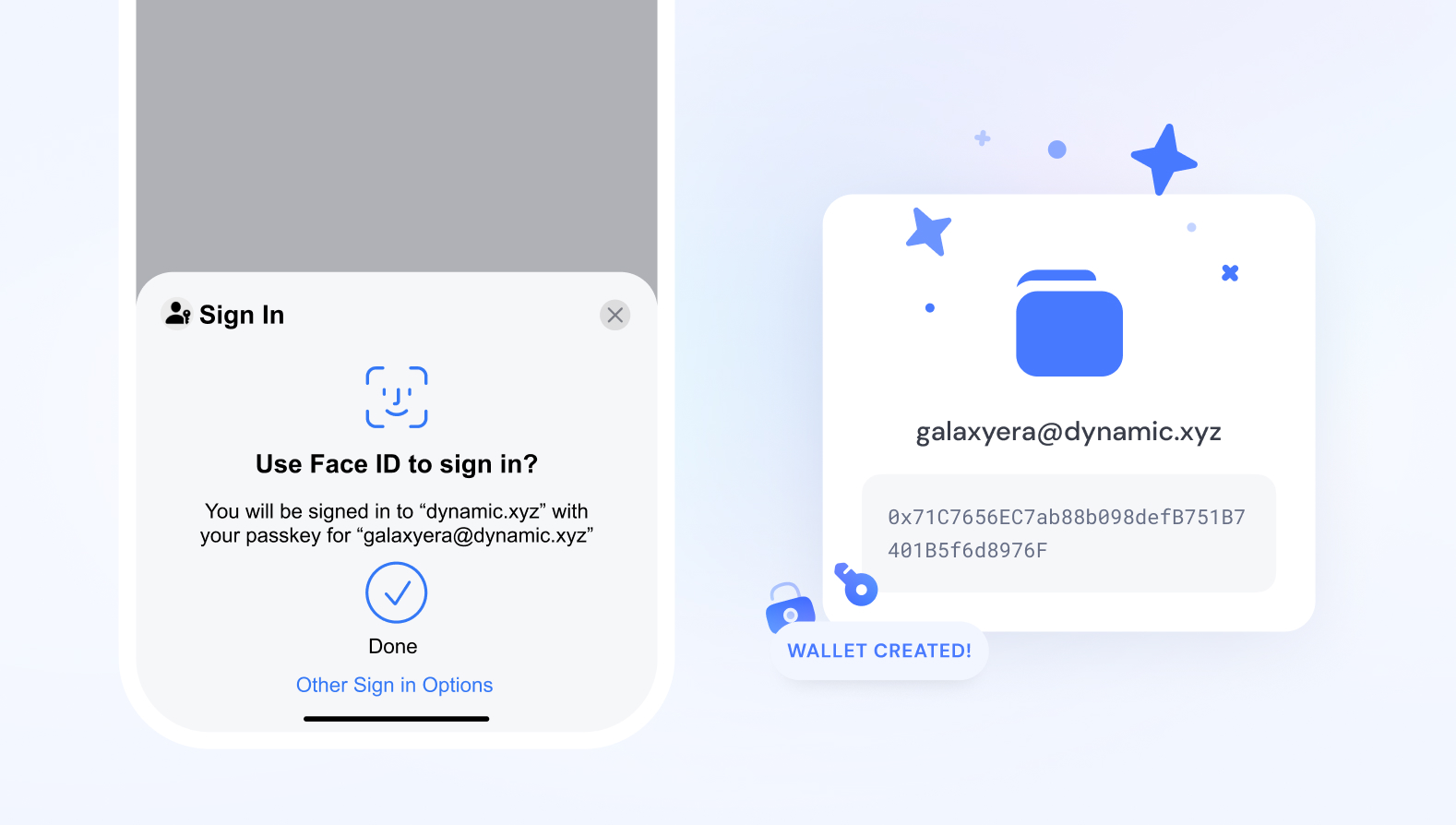
Your device will ask you to confirm your identity using TouchID or FaceID. This confirms that you are the owner of the hardware and authorizes the creation of the cryptographic keys. This step replaces the traditional password entry, ensuring no sensitive text is ever stored on the device or transmitted over the network.
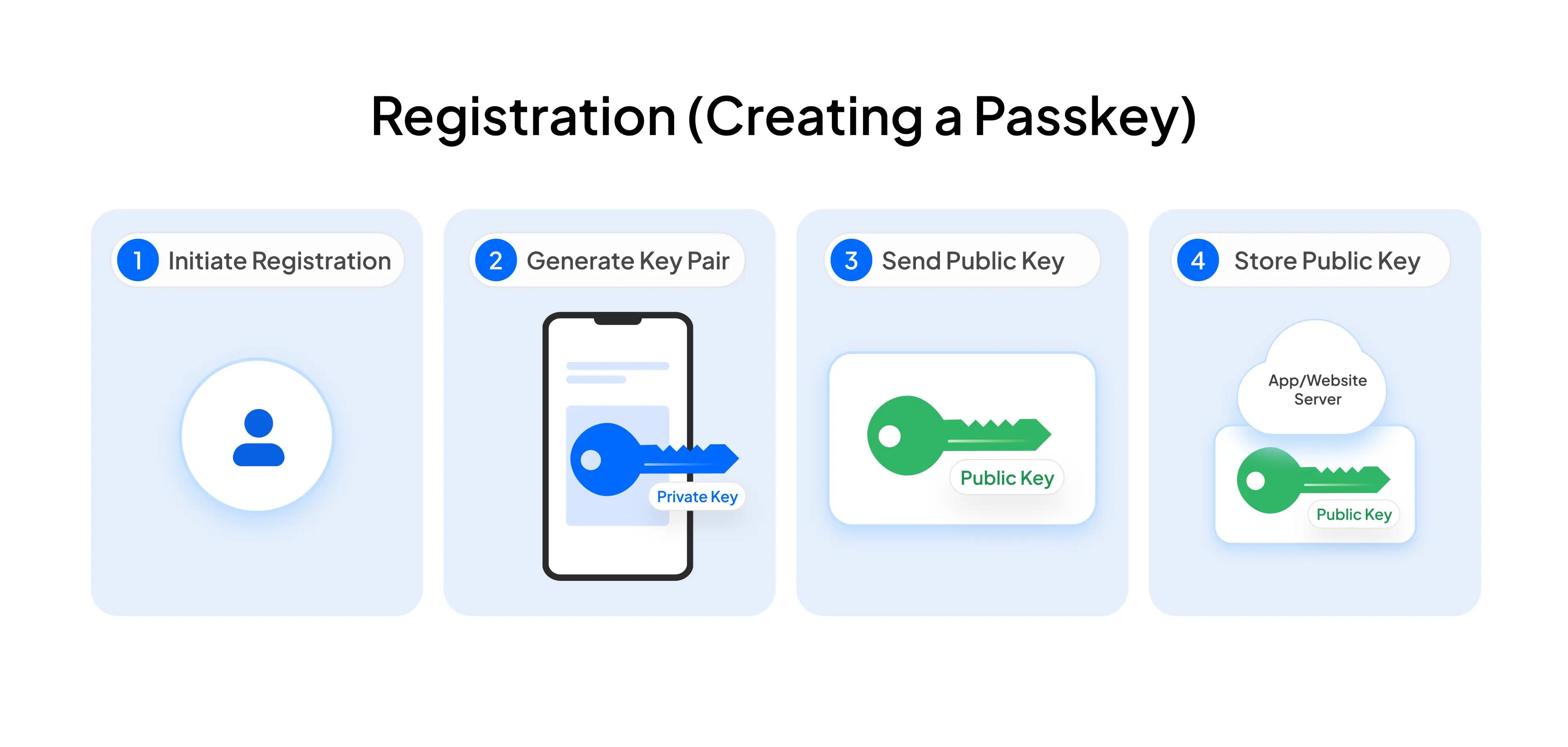
Even with passkeys, you need a way to recover your wallet if you lose your phone. Providers often offer a secondary recovery method, such as a seed phrase or a social recovery group. Set this up immediately. Without a backup, losing your device could mean losing access to your assets permanently.
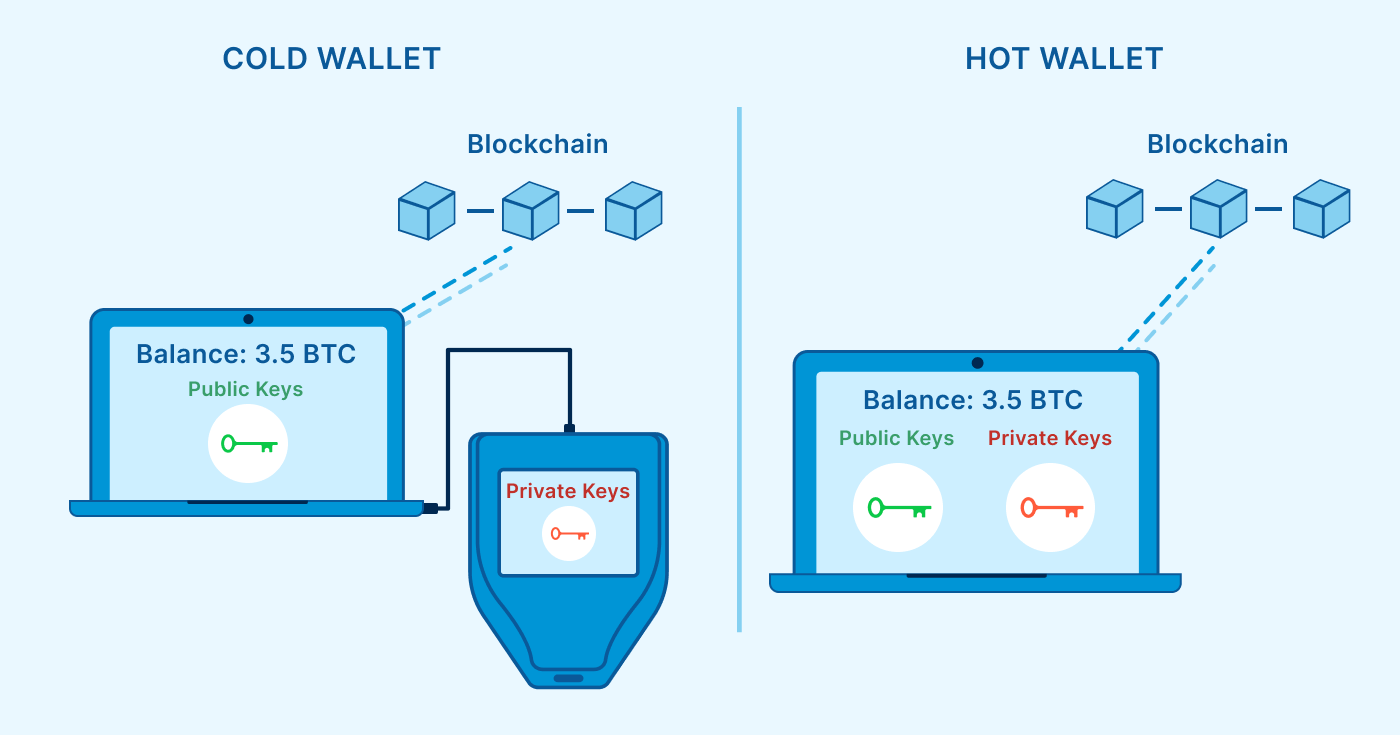
Once your wallet is active, send a small amount of cryptocurrency to verify that the passkey signing works correctly. This confirms that your biometric authentication is properly linked to your on-chain identity. After testing, you can confidently begin using your passkey wallet for larger transactions.
Technical Chart
Common passkey wallet: what to check next
Users often encounter specific hurdles when transitioning from seed phrases to biometric authentication. These FAQs address the most frequent concerns regarding security, recovery, and platform compatibility.
No comments yet. Be the first to share your thoughts!