
What a passkey wallet actually is
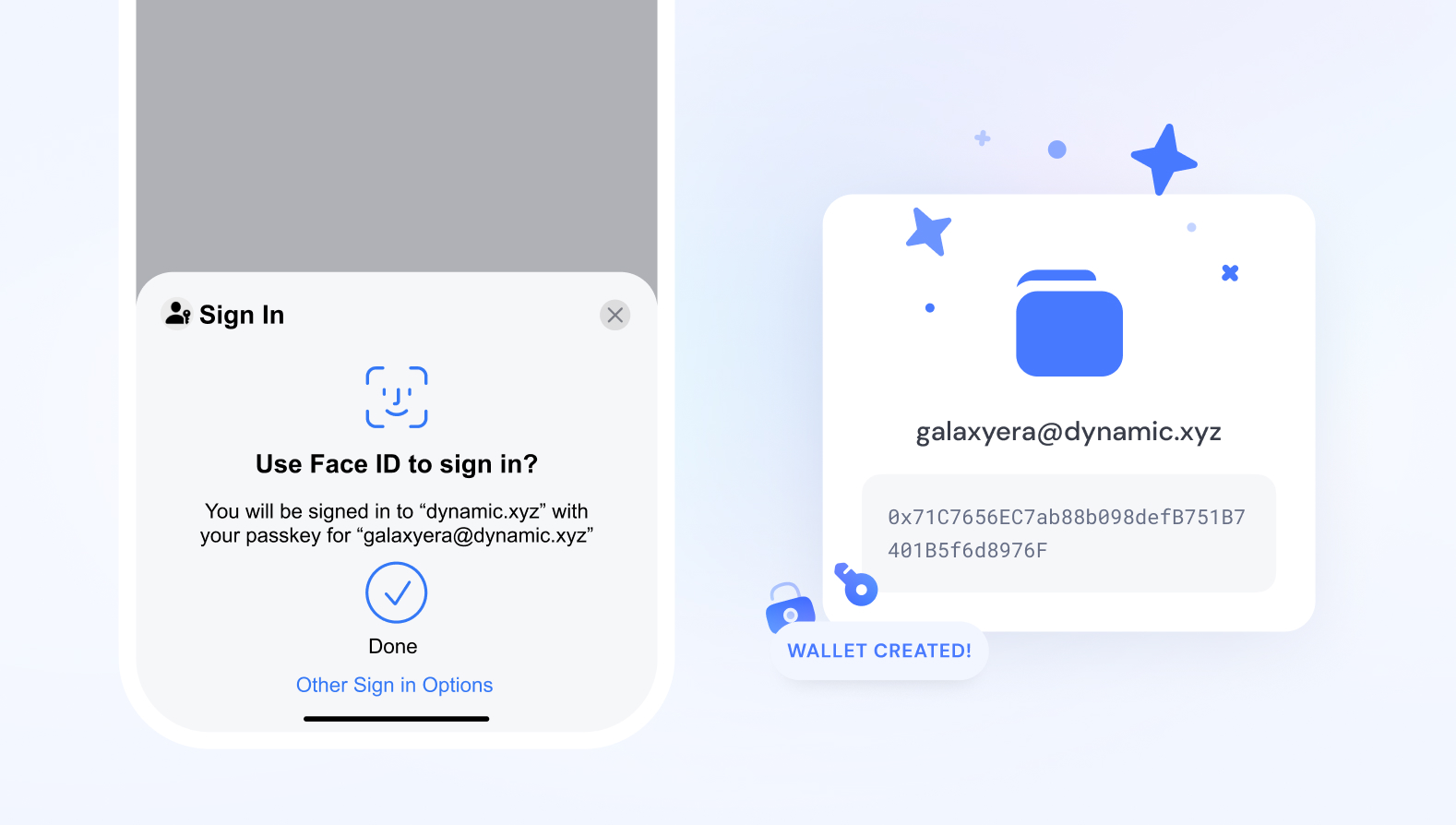
A passkey wallet is a Web3 smart account that replaces traditional seed phrases with biometric authentication methods like FaceID or TouchID. Instead of memorizing a string of words to recover your assets, you use the built-in security hardware of your phone or computer. This shifts the burden of security from your memory to your device’s secure enclave, making crypto access feel more like unlocking an iPhone than managing a high-security vault.
The technology relies on the WebAuthn standard, which generates a pair of cryptographic keys: a private key that never leaves your device and a public key that interacts with the blockchain. According to the Passkeys Foundation, this design allows users to create a wallet and complete transactions without the friction of password management or the catastrophic risk of losing a seed phrase. It is not a new type of blockchain; it is a new way to sign transactions securely.
This distinction matters because it changes who controls the keys. In a traditional non-custodial wallet, you hold the seed phrase. In a passkey wallet, the private key is bound to your device and often protected by a passkey. This means if you lose your phone, you might not lose access forever, as recovery can be managed through cloud backups or social recovery mechanisms built into the smart account layer. It bridges the gap between the security of hardware wallets and the convenience of Web2 logins.
How biometric authentication secures assets
Passkey wallets shift security from memorized passwords to hardware-backed cryptography. The system relies on the WebAuthn standard, which generates a unique key pair directly on your device rather than on a remote server. This means there is no single database of passwords to hack, and the private key never leaves the physical device.
At the core of this mechanism is a P-256 elliptic curve key pair. The private key is stored in dedicated tamper-resistant hardware, such as the Secure Enclave on iOS or Android’s StrongBox. This chip is designed to resist physical extraction and software attacks. Even if the operating system is compromised, the private key remains isolated and unusable to external processes.
Every transaction or wallet interaction requires a local biometric check—Face ID, Touch ID, or a fingerprint scan. The hardware signs the transaction data only after verifying your identity. This creates a direct link between the user’s physical presence and the cryptographic signature, making phishing attacks ineffective. A malicious website cannot trick the device into signing a transaction without the user’s biometric consent.
This architecture eliminates the risk of key theft through database breaches or credential stuffing. Because the key is bound to the specific device and authenticator, it cannot be copied or reused on another machine. The result is a wallet that is resistant to the most common forms of digital theft while maintaining a seamless user experience.
Passkey wallets versus traditional seed phrases
Passkey wallets replace the traditional seed phrase with biometric authentication methods like FaceID or TouchID. Instead of memorizing a list of words, the private key is stored in dedicated tamper-resistant hardware on your device. Every signature is gated behind this biometric check, making the wallet accessible to you but invisible to attackers who might steal a written note or a digital screenshot.
Traditional Externally Owned Accounts (EOAs) rely on seed phrases for recovery. While this method has been the standard for years, it places the entire burden of security on the user. If you lose your seed phrase, your assets are gone forever. If someone else sees it, your funds are drained. Passkey wallets shift this risk to the device manufacturer and the operating system, offering a recovery path that feels familiar to anyone who has unlocked a modern smartphone.
The table below compares the core mechanics of both approaches.
| Feature | Passkey Wallet | Seed Phrase Wallet |
|---|---|---|
| Authentication | Biometric (FaceID/Fingerprint) | Secret recovery words |
| Key Storage | Secure Enclave / TEE | User-controlled (paper/digital) |
| Recovery | Device replacement / Cloud backup | Manual phrase entry |
| Usability | High (familiar UX) | Low (steep learning curve) |
| Risk of Loss | Low (hardware-bound) | High (user error) |
For most new users, the passkey model offers a significantly lower barrier to entry. It removes the friction of writing down twelve or twenty-four words and the anxiety of keeping that list safe. However, seed phrases remain the gold standard for those who prioritize absolute self-custody and are willing to manage the technical overhead.
Top passkey wallet providers and integrations
Several major providers are currently shipping passkey support, each catering to different developer needs and user experiences. The landscape ranges from full-featured standalone applications to headless SDKs designed for embedding into existing platforms.
Exodus Wallet
Exodus has launched a dedicated Passkey Wallet that functions as both a standalone application and an embeddable solution. This approach targets frictionless Web3 onboarding by removing seed phrases from the equation entirely. For users, it leverages the device’s built-in biometric security, while developers can integrate it directly into their platforms to simplify dApp integration.
Passkey Wallet by Openfort
Openfort offers a seedless Ethereum wallet built specifically for passkey authentication. Their demo showcases a minimal interface that relies on the operating system’s native security credentials, such as Face ID or Touch ID. This provider focuses on the backend infrastructure, allowing developers to issue passkeys without managing complex key storage or recovery flows.
Source: Openfort Passkey Wallet
Choosing the Right Integration
The decision between a standalone wallet and an SDK depends on your product’s role. If you are building a consumer-facing app where security is the primary differentiator, a standalone solution like Exodus provides immediate trust. If you are embedding crypto functionality into a non-crypto product, an SDK like Openfort’s allows you to keep the user experience seamless and native to your platform.
Market trends and adoption signals
The rise of passkey wallets aligns with a broader shift in Web3 toward frictionless onboarding. As the Ethereum network processes transactions, the demand for secure, passwordless entry points grows. This convergence of consumer-grade authentication and blockchain infrastructure is reshaping how users interact with digital assets.
To understand the current market context, it helps to look at the underlying asset performance. Ethereum remains the primary settlement layer for many passkey-enabled smart accounts, making its price action a useful barometer for ecosystem health.
Major platforms are already integrating this technology. Exodus recently launched its Passkey Wallet, highlighting the industry's move toward embedding biometric security directly into user interfaces. This adoption signal suggests that passkey wallets are moving from experimental features to standard infrastructure for serious Web3 users.
Common questions about passkey wallets
What is a passkey wallet?
A passkey wallet is a digital asset storage solution that uses passkeys—cryptographic keys designed to replace passwords—to secure access. This approach allows users to create a wallet and complete transactions without managing traditional seed phrases or complex password routines, relying instead on device-based authentication.
Are passkey wallets safe?
Passkey wallets generally offer stronger security than password-based systems because they use public-key cryptography and are resistant to phishing attacks. Since the private key never leaves the device and authentication is tied to biometric or hardware checks, the risk of remote credential theft is significantly reduced.
Can I use a passkey wallet on mobile?
Yes. Most modern passkey wallets are optimized for mobile devices, leveraging built-in biometric sensors like Face ID or fingerprint scanners. This integration makes transaction signing faster and more intuitive compared to entering long alphanumeric codes on a small screen.
No comments yet. Be the first to share your thoughts!