
What passkey wallets actually are
Passkey wallets are FIDO2-based smart wallets that replace seed phrases and passwords with device-bound biometric authentication. Instead of memorizing a recovery phrase or typing a password into a web form, these wallets use the same authentication standards found in Apple Face ID, Windows Hello, or Android Biometric Prompt to sign transactions.
The core difference lies in where the private key lives. Traditional wallets store the private key in a file or text string that you must back up. Passkey wallets generate the key pair locally on your device and encrypt it within the device’s secure hardware module. The private key never leaves the device, meaning it cannot be stolen from a compromised server or intercepted during a phishing attack.
This architecture simplifies the user experience significantly. You no longer need to write down twelve words or risk losing access to your funds if you forget a password. As the Passkeys Foundation notes, this is the technology driving the next generation of crypto wallets because it is simple to deploy and offers superior user experience. Helius describes this shift as replacing traditional passwords with a cryptographic key pair that stays securely on the user's device.
For users, this means onboarding happens in seconds. You create a wallet, authenticate with your fingerprint or face, and you are ready to transact. The security model shifts from "what you know" (a password) to "what you are" (biometrics) and "what you have" (your physical device), making it exponentially harder for attackers to gain unauthorized access.
How passkeys secure crypto assets
Passkey wallets secure crypto assets by replacing traditional passwords with a cryptographic key pair where the private key never leaves the user's device. This approach shifts the security burden from a memorized string of characters to the hardware and biometric safeguards already built into your phone or computer. The result is a system that is significantly harder for attackers to compromise than a standard email-and-password setup.
Local key generation
When you create a passkey, the cryptographic keys are generated locally on your device. The private key remains encrypted and stored in a secure hardware module, such as the Trusted Execution Environment (TEE) on Android or the Secure Enclave on iOS. Because the private key is never exported or transmitted to any server, phishing attacks that rely on tricking users into revealing credentials become ineffective. Even if a wallet provider’s database is breached, the attacker gains nothing without physical access to your device and your biometric data.
Hardware enclave storage
The security of this system relies on the hardware enclave, a dedicated area of the processor designed to keep sensitive data isolated from the rest of the operating system. This isolation ensures that malware or remote exploits cannot easily extract the private key. The key is used only for signing transactions, and the signing process requires local verification, such as a fingerprint scan or Face ID. This means that even if your device is connected to an insecure network, the cryptographic proof of ownership remains protected within the hardware boundary.
Domain binding
Passkeys also use domain binding to prevent phishing. Each passkey is cryptographically tied to the specific website or app domain that created it. If you attempt to use your passkey on a fake phishing site that mimics a legitimate wallet, the browser or operating system will reject the authentication because the domain does not match the one stored in the passkey record. This binding ensures that your credentials are only valid in the intended environment, adding a layer of protection that traditional passwords lack.
Set up your passkey wallet
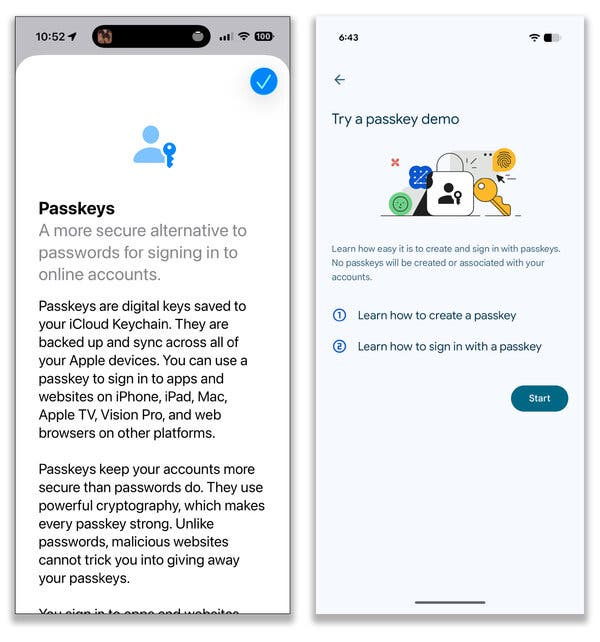
Creating a passkey wallet replaces the old ritual of memorizing seed phrases with the familiar convenience of Face ID or a fingerprint. This one-click onboarding experience is the primary reason institutions are adopting this technology. By leveraging your device’s secure enclave, you get institutional-grade security without the friction of traditional crypto wallets.
The setup process is nearly identical across major providers like Coinbase or Exodus. You simply download the app, initiate the wallet creation, and authorize the new identity with your biometrics. The wallet generates a private key that never leaves your device, while the corresponding public key is registered with the authentication service.
Start by installing a passkey-enabled wallet such as Coinbase or Exodus. Launch the application and look for the option to create a new wallet or account. The interface will guide you through the initial identity verification, which is where the passkey process begins.
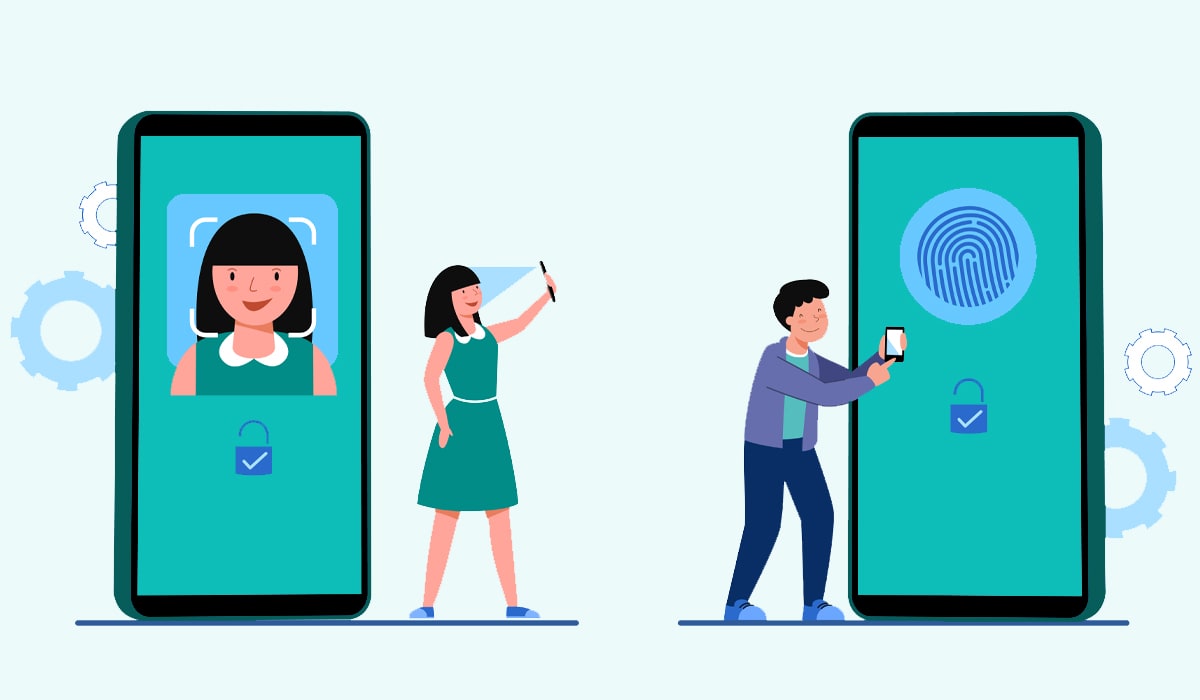
When prompted to create a passkey, your device will ask for biometric confirmation. This is the critical step that replaces passwords. Whether you use Face ID, Touch ID, or a PIN, the device generates a unique cryptographic key pair tied to that specific hardware. This ensures that only you can access the wallet, even if the app is installed on a new device.
Once the passkey is established, the wallet will generate a recovery phrase. Unlike traditional wallets, this phrase is for emergency recovery only; you cannot log in with it. Store it in a secure physical location. Your daily access is now handled entirely by your biometrics, making the wallet both more secure and significantly easier to use.
This streamlined approach eliminates the most common point of failure in crypto: lost or stolen seed phrases. By keeping the private key within the device’s secure hardware, you remove the risk of phishing attacks that target password-based logins. The result is a wallet that feels as simple as unlocking your phone, but offers the robust security required for high-stakes digital assets.
Common failure modes and risks
Passkey-only wallets offer a streamlined experience, but they introduce specific structural risks that traditional seed phrases avoid. The convenience of biometric authentication comes with dependencies on device hardware and cloud infrastructure that can become single points of failure. Understanding these failure modes is essential for anyone managing significant assets.
Platform lock-in and vendor risk
Passkeys are bound to the ecosystem that created them. A passkey generated on an iPhone is stored in Apple’s iCloud Keychain and cannot be exported to an Android device or a third-party password manager. This creates platform lock-in, where losing access to your primary device provider means losing access to your wallet. If a provider changes its terms, discontinues a service, or suffers a widespread outage, your assets may become temporarily or permanently inaccessible.
Device loss and recovery gaps
Unlike seed phrases, which are offline and portable, passkeys rely on the physical security chip of your device. If you lose your phone and do not have a backup device logged into the same account, recovery can be difficult. Some providers allow recovery through account verification, but this process is often slow and may require identity documents. In cases where the device is stolen and the passkey is automatically synced to the thief’s account, recovery becomes a legal battle rather than a technical fix.
Gas fee and domain binding complications
Passkeys are domain-bound. A passkey created for one wallet service or blockchain domain cannot be used to sign transactions on another. This fragmentation means you may need multiple passkeys for different services, complicating the user experience. Additionally, while passkeys secure the authentication layer, they do not solve the underlying blockchain requirement for gas fees. Users still need native tokens to pay for transactions, and if the wallet interface does not seamlessly handle this, transactions will fail even if authentication succeeds.
Passkey wallets vs seed phrases compared
Choosing between a passkey wallet and a traditional seed phrase wallet comes down to how you handle risk. Seed phrases put the burden of security entirely on you, while passkey wallets delegate that responsibility to your device's secure enclave.
The table below breaks down the practical differences in security, recovery, and usability.
| Feature | Passkey Wallet | Seed Phrase Wallet |
|---|---|---|
| Private Key Storage | Encrypted in device hardware (Secure Enclave) | Written down or stored digitally by user |
| Recovery Method | Biometrics or device PIN; lost device = lost access | 12-24 word mnemonic phrase; recoverable anywhere |
| Security Risk | Protected against phishing and remote theft | Vulnerable to physical loss, theft, or digital theft |
| Usability | Login with Face ID or fingerprint; instant access | Manual entry of words; slower onboarding |
If you prioritize ease of use and protection against remote hacking, passkeys are the stronger choice. However, they tie your assets to a specific device. If you lose your phone and have no backup method, your funds may be inaccessible forever. Seed phrases offer a lifeline, but only if you store them securely offline.
No comments yet. Be the first to share your thoughts!